One thing has always bothered me about MQTT in practice: devices publish where they want to, for example: tasmota/devices/14835A/...
The device ID is in there, fine. But every time I want to query or subscribe to that sensor, I first have to look up what device 14835A actually is. Is it my living room or is it the kitchen? Is it a temp sensor? Or is it a power meter?
With virtual topics, you can now define views on top of real topics. The sensor above can also be made available as: austria/vogler/office/temperature/..
Same data, two (or more) names. No republishing, no copying, no duplicated messages.
👉 Map a single topic, or mount a whole subtree
👉 Wildcard subscriptions work on the virtual tree
👉 Each node is read-only or read-write
That way you can have a location view, an asset view, or an ISA-95 style view of the same devices, all at the same time.
Now my question to you: is this useful, or should I drop it again? How do you deal with this today? Republishing in Node-RED, a strict UNS naming convention from day one, or just an Excel sheet? 😉
Today I built an ONNX manager for WinCC OA that makes model integration simple:
📁 Put an ONNX model in the project’s data directory.
⚙️ Automatic setup: The manager loads it and creates the input and output datapoints & types.
🏭 Live factory connectivity: Connected to your factory data and bringing the results back to OA.
The video shows the complete loop: changing live inputs, calculating an output, and controlling model execution directly from a WinCC OA panel.
We used a simple linear model to make the workflow easy to follow. The same approach opens the door to more complex models for industrial applications by using the ONNX standard.
AI also helped us build the integration and test panel — a practical example of using coding agents to bring new capabilities into an automation system.
The problem was: I always had a bunch of terminal sessions open with Claude Code, Codex, OpenCode and others running on headless Linux machines or locally in different directories/projects, and after a while I had no idea anymore which project was running in which terminal.
And every time I needed a new skill, an MCP server or one of the common coding tools, I had to look up how to install it again.
TermClaw provides:
📁 Projects with their sessions in one place: Local, SSH, WSL, PowerShell Remoting.
🗄️ File copy via SSH: Transfer files to and from SSH sessions, with tmux keeping sessions alive.
🧩 One-click setup: Skills, MCP servers, and common coding tools installed with a click.
🪟 X11 forwarding: Seamless GUI app support with WSL on Windows.
🐳 Lightweight Docker Management: Easily manage containers and environments.
🔌 Built-in MCP server: Native integration for AI agents.
With the MCP Server, you can connect Claude on your phone to it and handle your sessions with your voice. Saying “start a new project on my dev server” while having a walk…
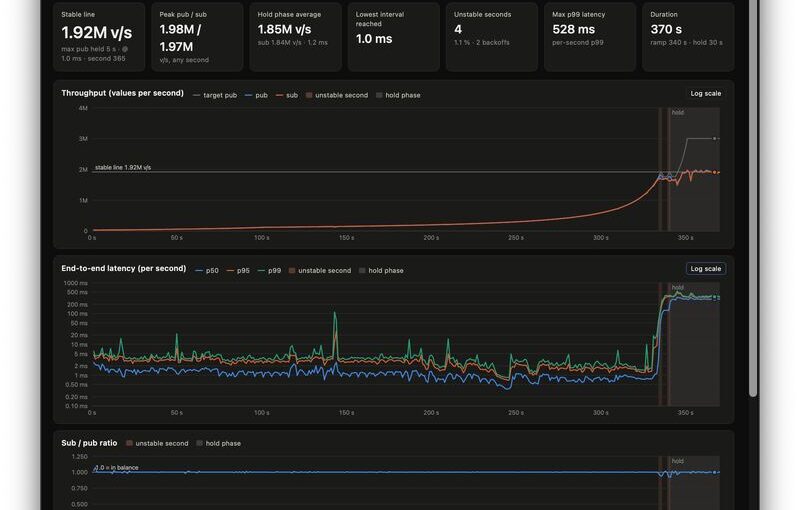
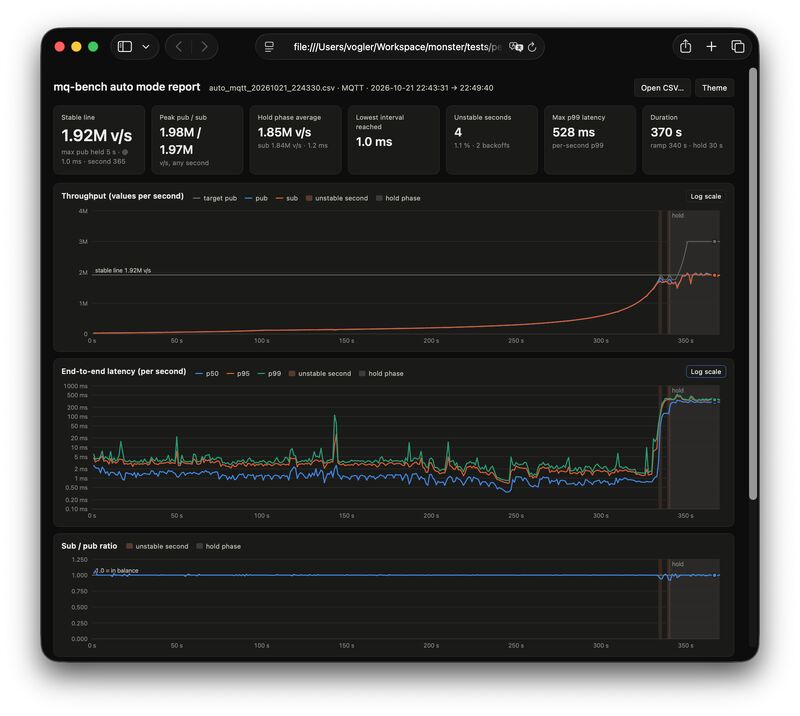
We optimized MonsterMQ Edge: ⚡️ 1.9M v/s Pub&Sub 💪 on a MacBook Air M4, and it persisted all values in memory! 🧠
👉 Clients and Server running on the same host
👉 Obviously QoS 0 and no retain flag
👉 No security enabled
Can we trust those numbers? 🙈 It looks unbelievable! With 1.9M v/s the latency went up, but at 1.3M v/s we had a stable latency of about 1.3 ms P95.
The test program is fully AI-created: 3,000 leaf topics with a 5-level tree structure, where clients are concurrently producing and consuming. It runs for 370s, increases and adapts the load, and writes a detailed benchmark protocol. See pic below!
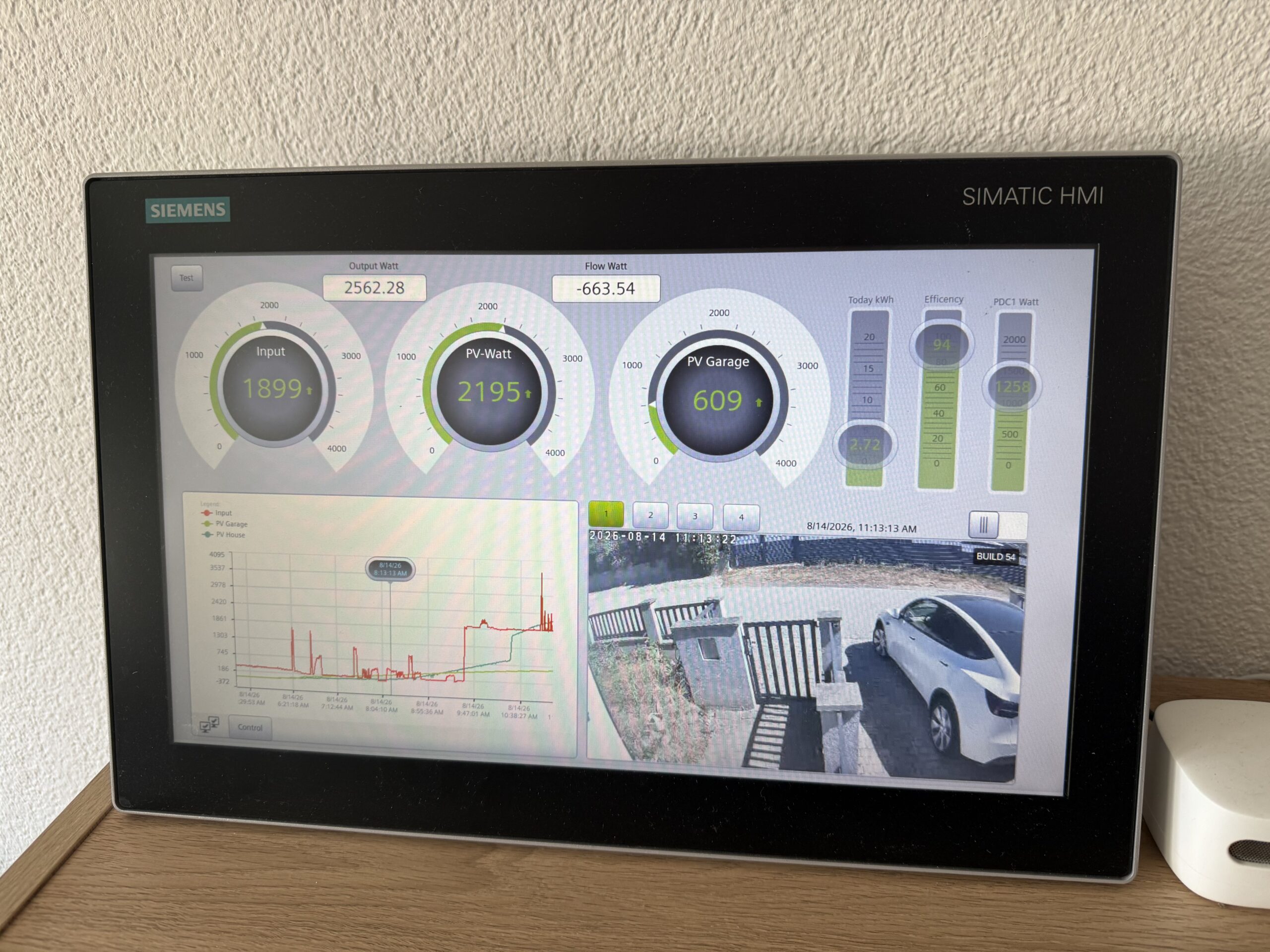
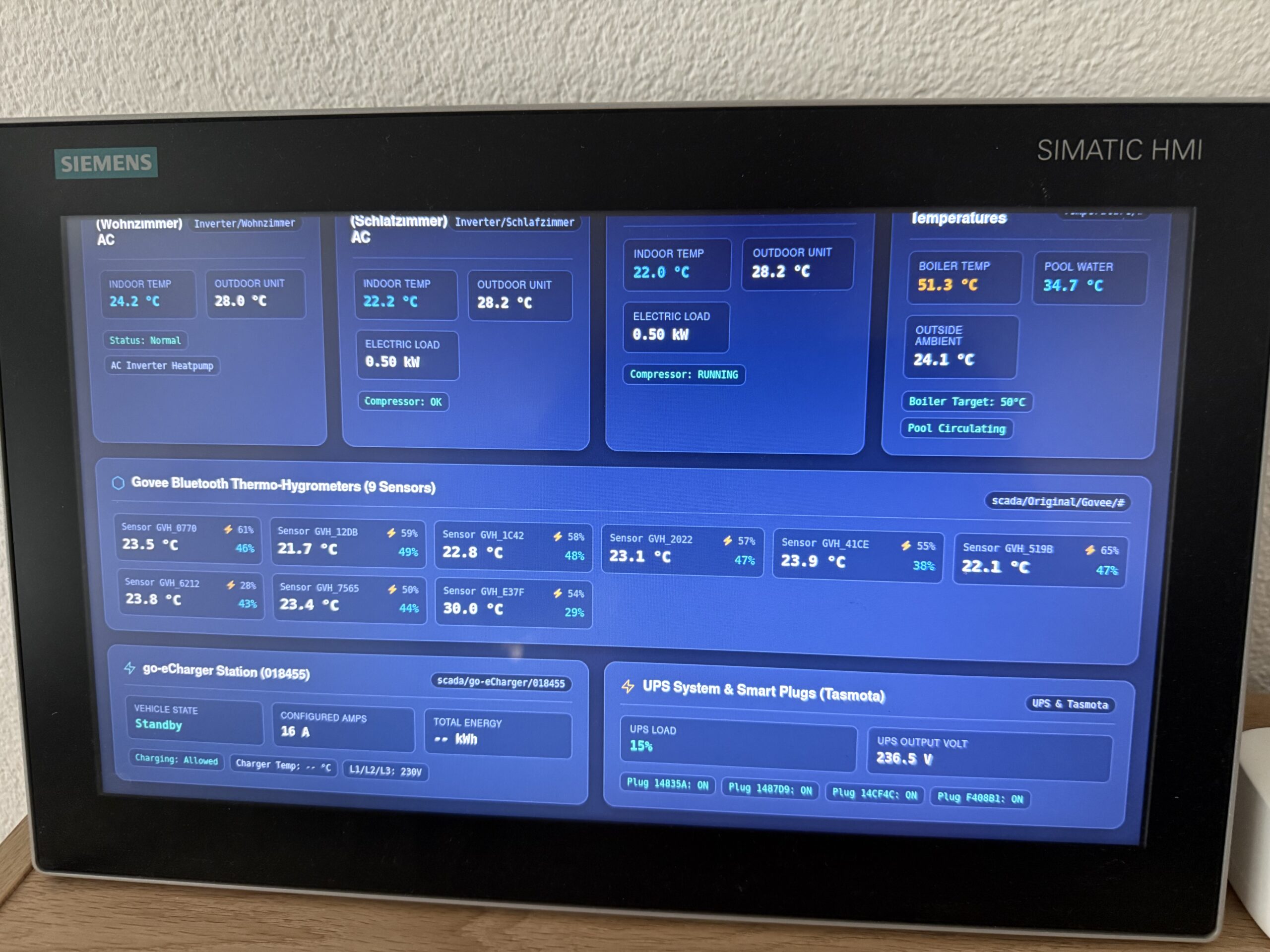
I love having a Siemens SIMATIC WinCC Unified Comfort Panel running at home. It operates 24/7 without a single hiccup, consumes minimal energy, and having a dedicated, rugged industrial touch panel to check the real-time status of the house at a glance is simply awesome.
However, there has always been a catch: I am an IT guy.
I never enjoyed building UIs from scratch—and honestly, designing HMIs inside classic engineering environments like TIA Portal is not something I look forward to on the weekend.
The classic panel UI—functional, but tedious and time-consuming to design manually in TIA Portal.
So, I decided to solve this in true IT & Edge fashion.
The Evolution: MonsterMQ as an Industrial Edge App
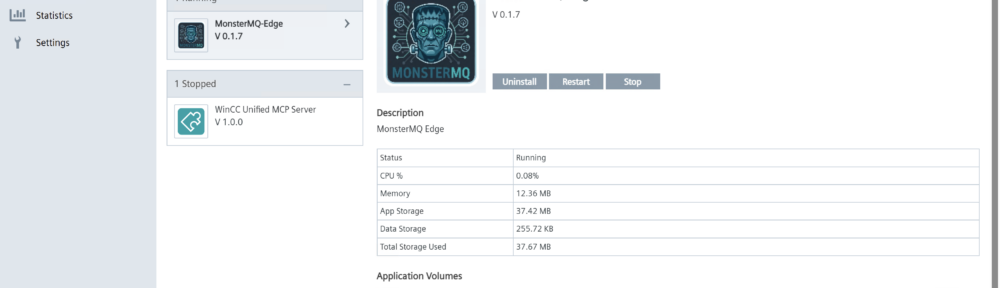
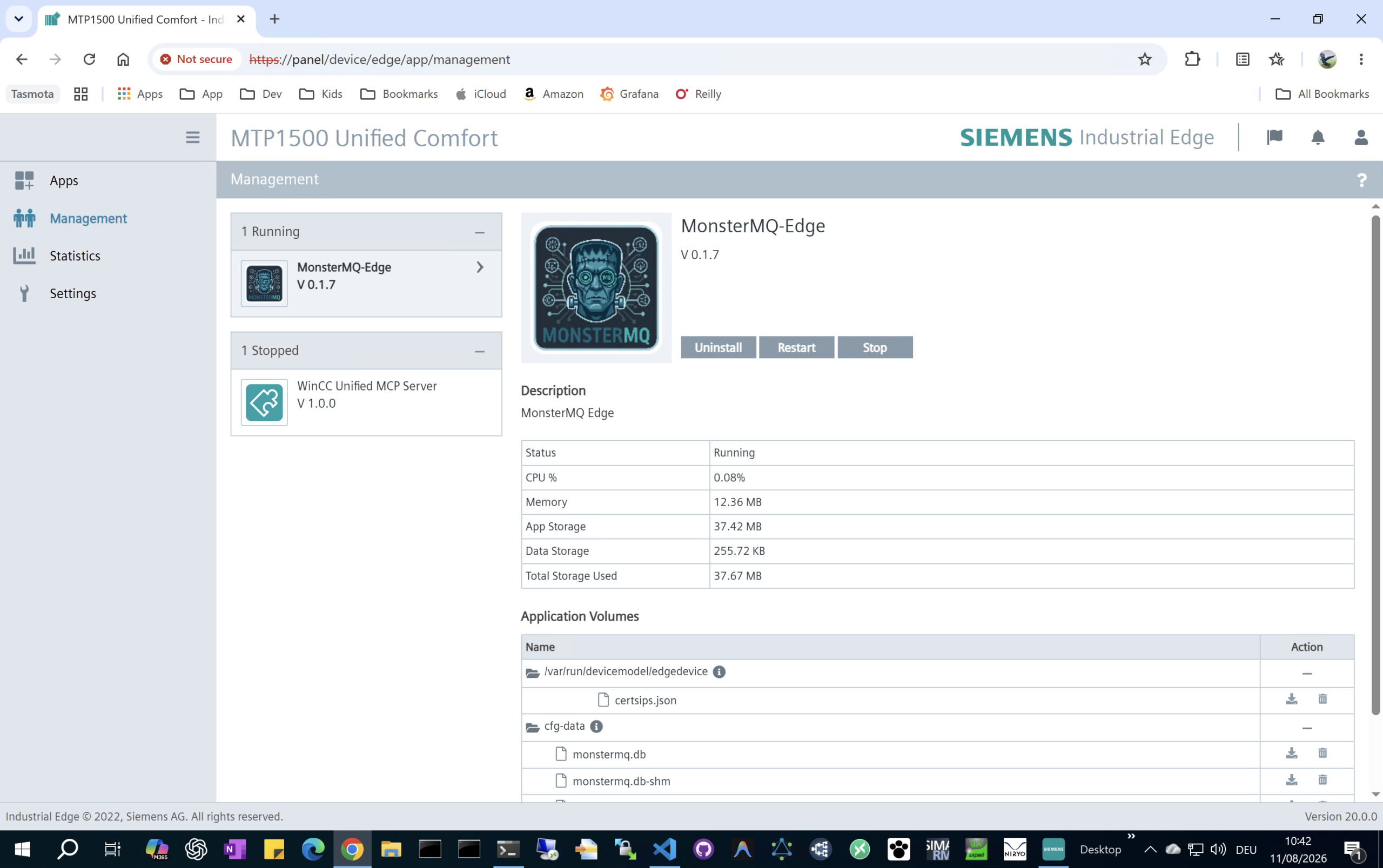
MonsterMQ Edge already runs seamlessly as a Siemens Industrial Edge Application directly on SIMATIC WinCC Unified Comfort Panels, bridging panel runtime data and MQTT with ultra-low latency and minimal resource footprint.
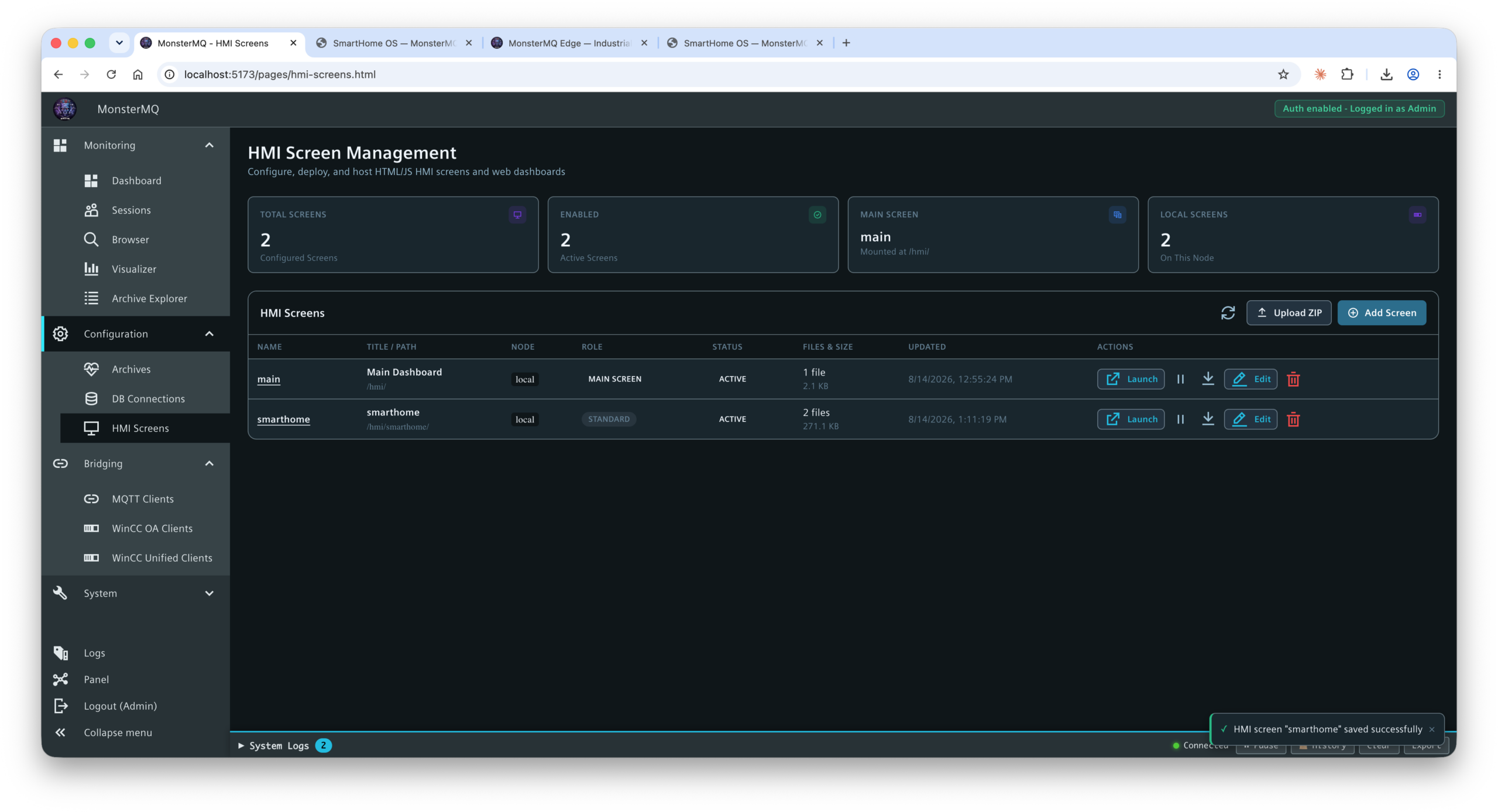
Now, I’ve taken it one step further: MonsterMQ brokers can host simple, web-based HMI pages directly!
No heavy web server stack needed, no extra middleware—the broker itself serves your custom web interfaces.
MonsterMQ broker management and runtime overview.
The Workflow: Letting AI Build & Deploy the Dashboard
By combining MonsterMQ’s web hosting capabilities with our brand-new MonsterMQ CLI and AI skills, the workflow becomes almost magical:
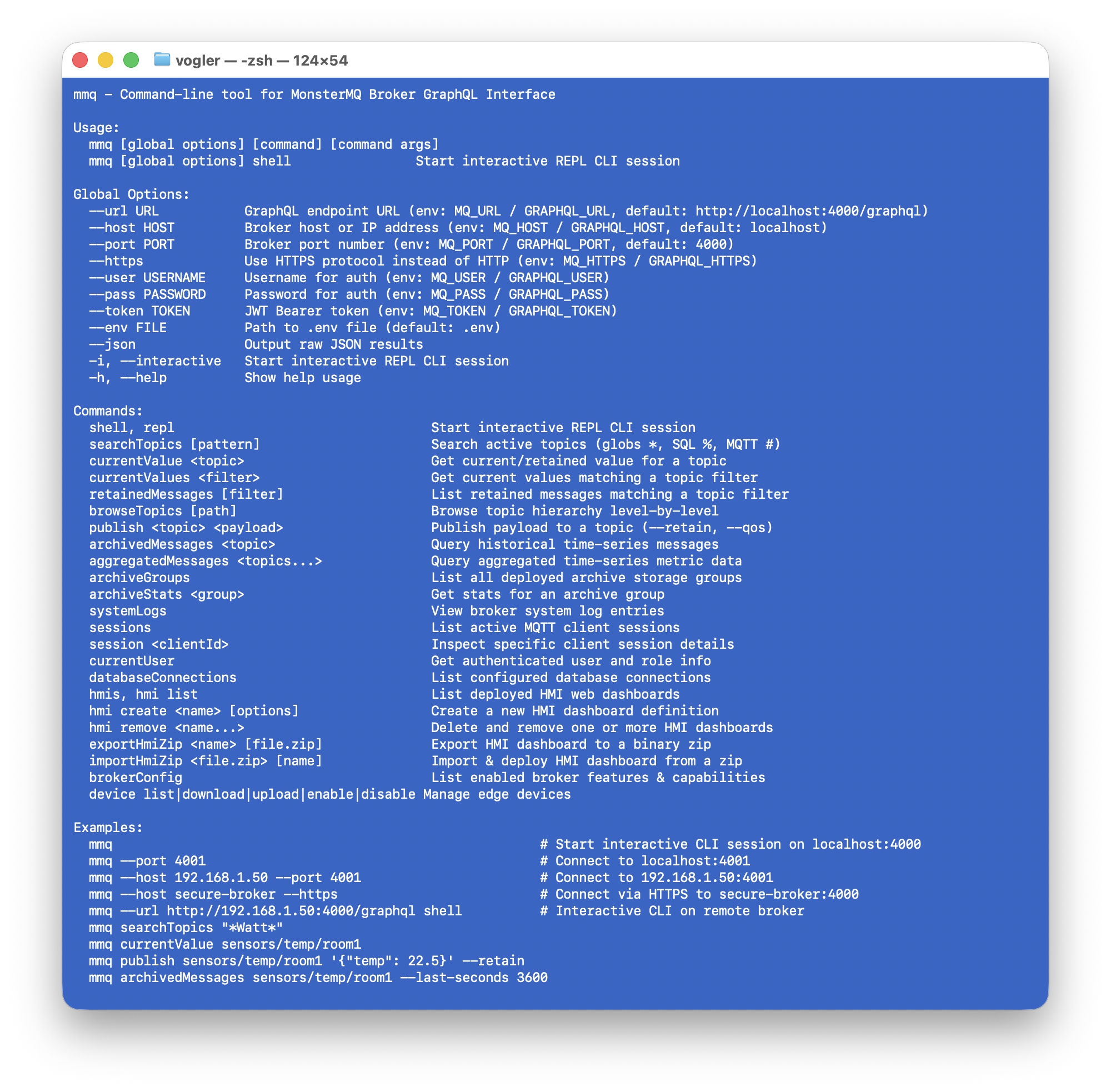
Live Data Discovery: The AI connects via the MonsterMQ CLI to browse active topics, payloads, and live metrics within the broker.
Automated UI Generation: Based on the discovered telemetry and tag schema, the AI designs a clean, modern, touch-optimized web dashboard (HTML5/CSS/JavaScript).
Instant Edge Deployment: Using the CLI, the generated HMI is deployed directly onto the MonsterMQ broker running on the WinCC Unified Comfort Panel.
Inspecting live broker data and managing deployment with the MonsterMQ CLI tool.
The Result: Modern, AI-Crafted Web HMIs
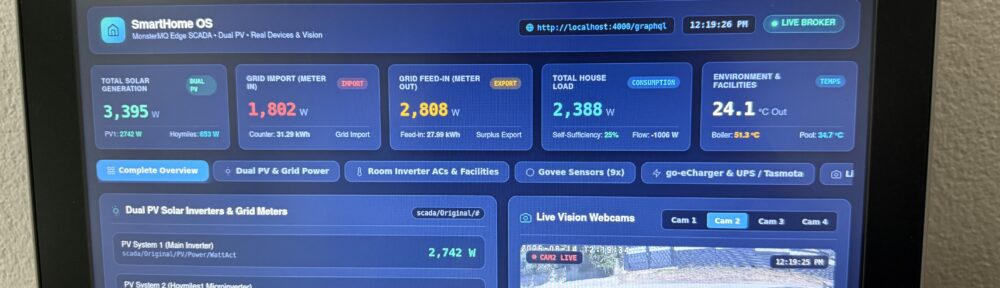
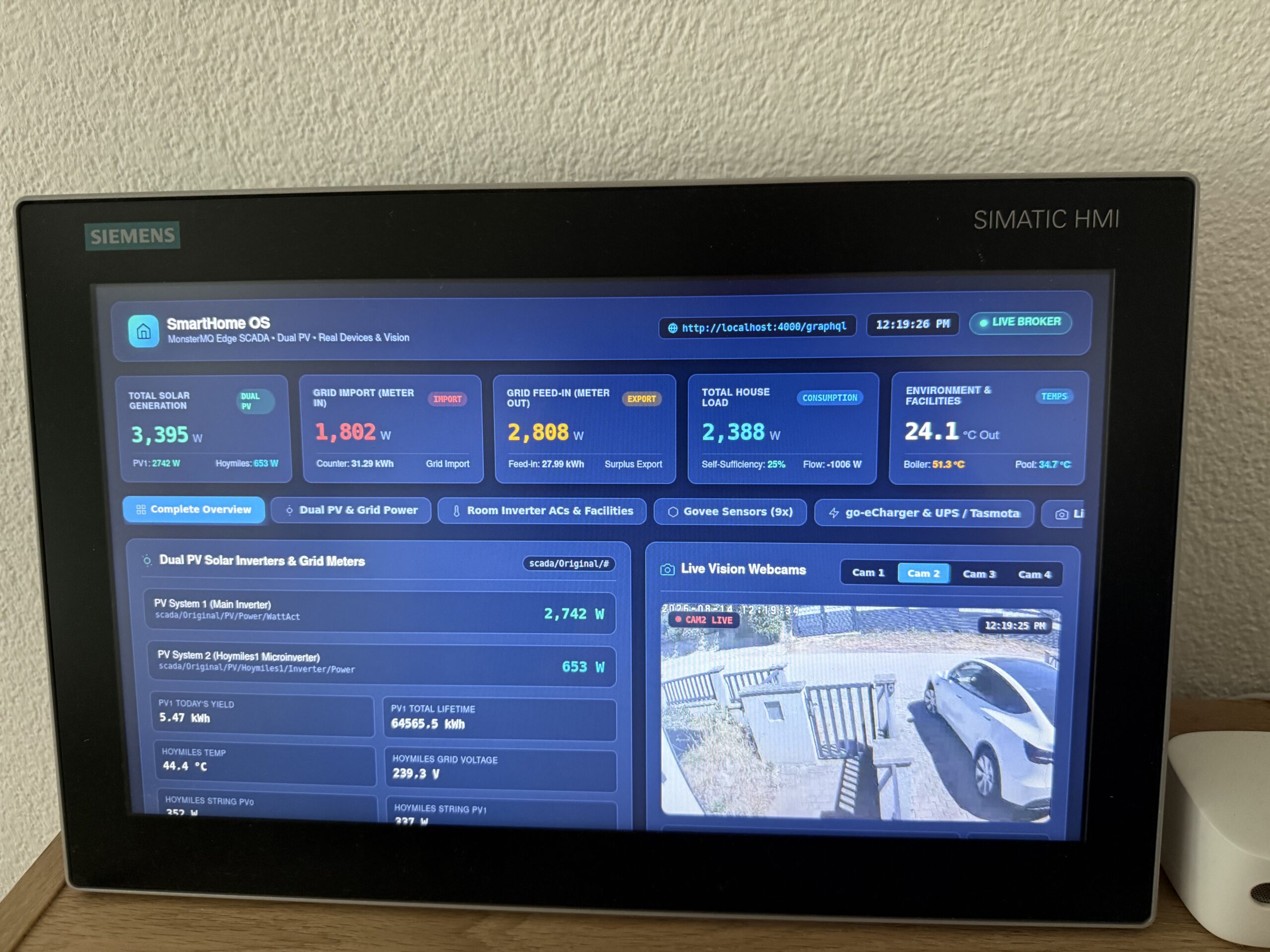
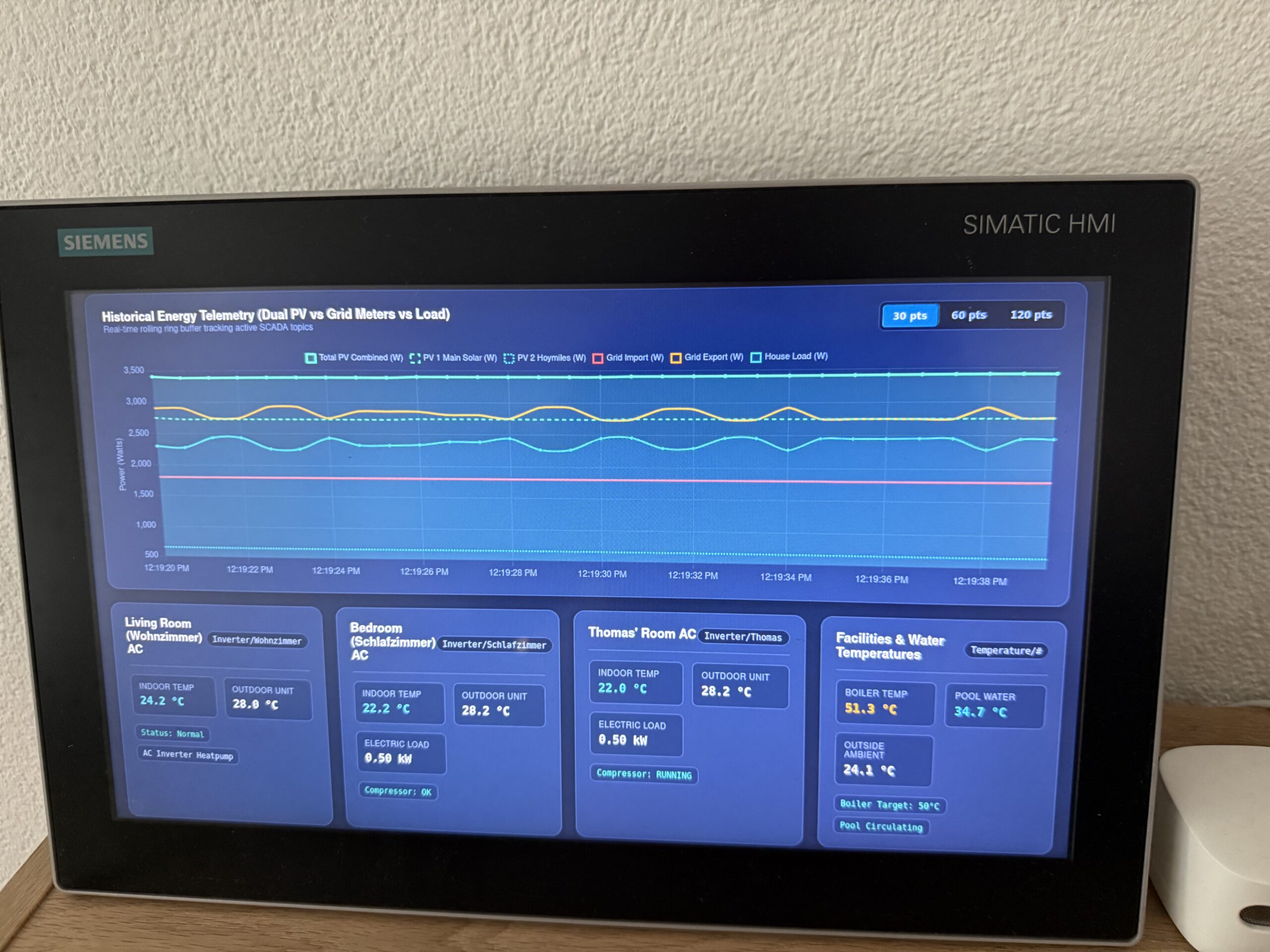
Here is what the newly generated web dashboard looks like running live on the WinCC Unified Comfort Panel touch screen:
Modern, dark-themed responsive home telemetry dashboard running directly on the panel.Clean sensor gauges and interactive controls.Detailed room and subsystem status view.
Why This Changes the Game
⚡ Zero TIA Portal UI Hassle: Keep your PLC/Runtime logic clean without spending hours aligning screen objects manually.
🤖 AI-Driven Rapid Prototyping: Go from raw MQTT telemetry to a polished, responsive dashboard in minutes.
🏭 True Industrial Edge Native: Everything runs locally on the panel via Siemens Industrial Edge—secure, self-contained, and low-energy.
📱 Modern & Touch-Ready: Crisp web standards that look great whether you are tapping the panel screen or opening the URL on a tablet or phone.
Is your valuable machine data locked away and inaccessible?
If you are running a **Siemens SIMATIC WinCC Unified Comfort Panel**, you are in luck! You already have the power to unlock that data and stream it anywhere you need.
Here is how you can liberate your machine data in a few steps using **MonsterMQ Edge**:
### 1. Enable Industrial Edge
First, enable the **Industrial Edge** runtime on your WinCC Unified Comfort Panel (note: this typically requires a Siemens Industrial Edge license). This turns your HMI panel into an extensible edge device.
### 2. Deploy MonsterMQ Edge
Next, install the lightweight, single-binary **MonsterMQ Edge MQTT Broker** as an Industrial Edge app. As detailed in our [previous setup guide](https://www.rocworks.at/wordpress/?p=1717):
– Download `MonsterMQ-Edge.tar` from the [GitHub Releases](https://github.com/vogler75/monster-mq-edge/releases).
– Rename the file extension to `.app`.
– Upload and launch the app on your panel.
### 3. Connect to the Runtime
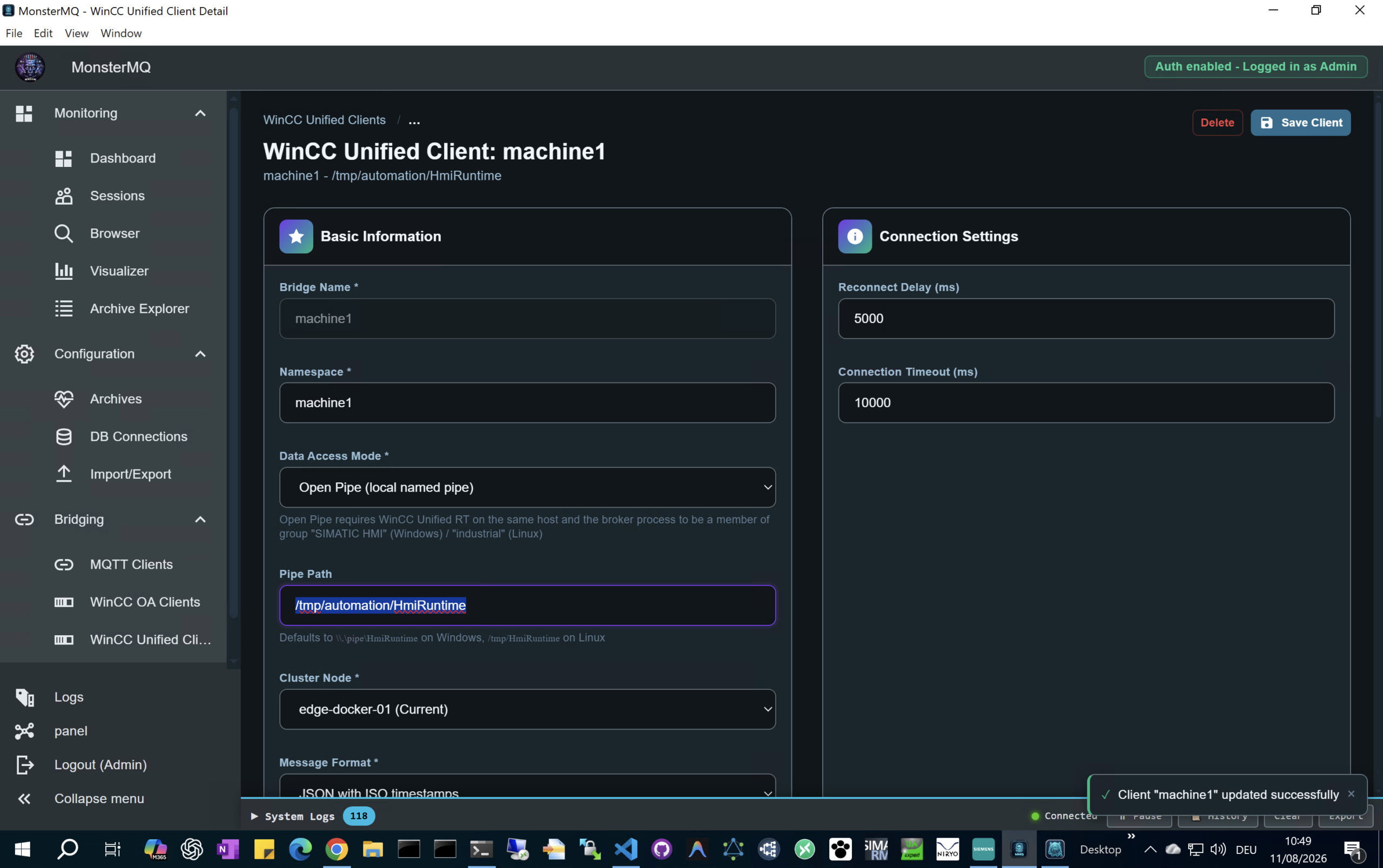
Once MonsterMQ Edge is running, configure it to connect to your panel’s runtime data. Use `/tmp/automation/HmiRuntime` as the Pipe Path to establish the data connection.
### 4. Stream to MQTT, Databases, & More!
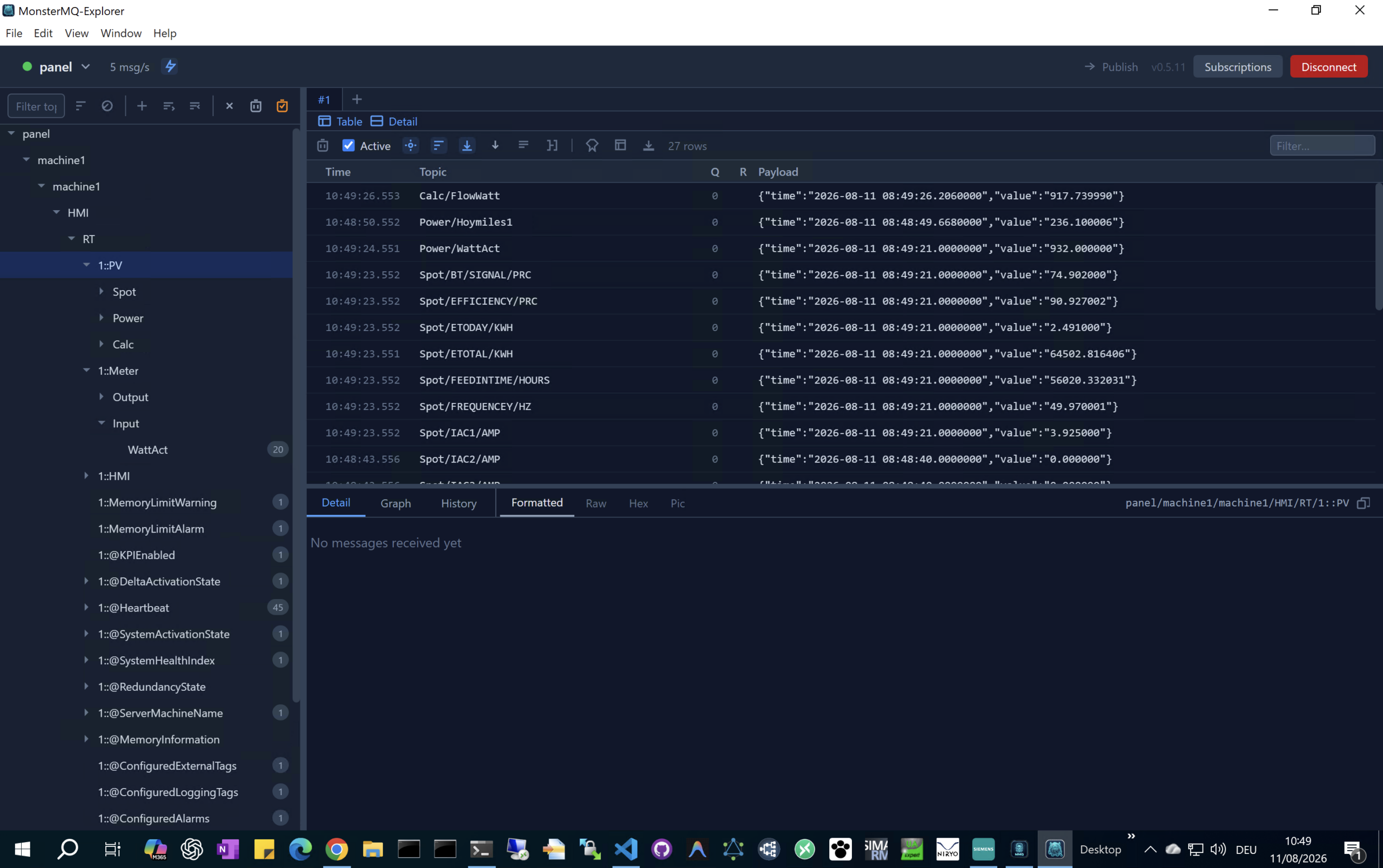
With the connection established, MonsterMQ Edge exposes your machine tags via MQTT. But it doesn’t stop there:
– **Broker Forwarding**: MonsterMQ Edge can forward MQTT data directly to other cloud or enterprise-level MQTT brokers.
– **Database Integration**: It can write your runtime data immediately into databases for archiving and real-time analysis.
—
### 🌐 Scalable IoT Architecture
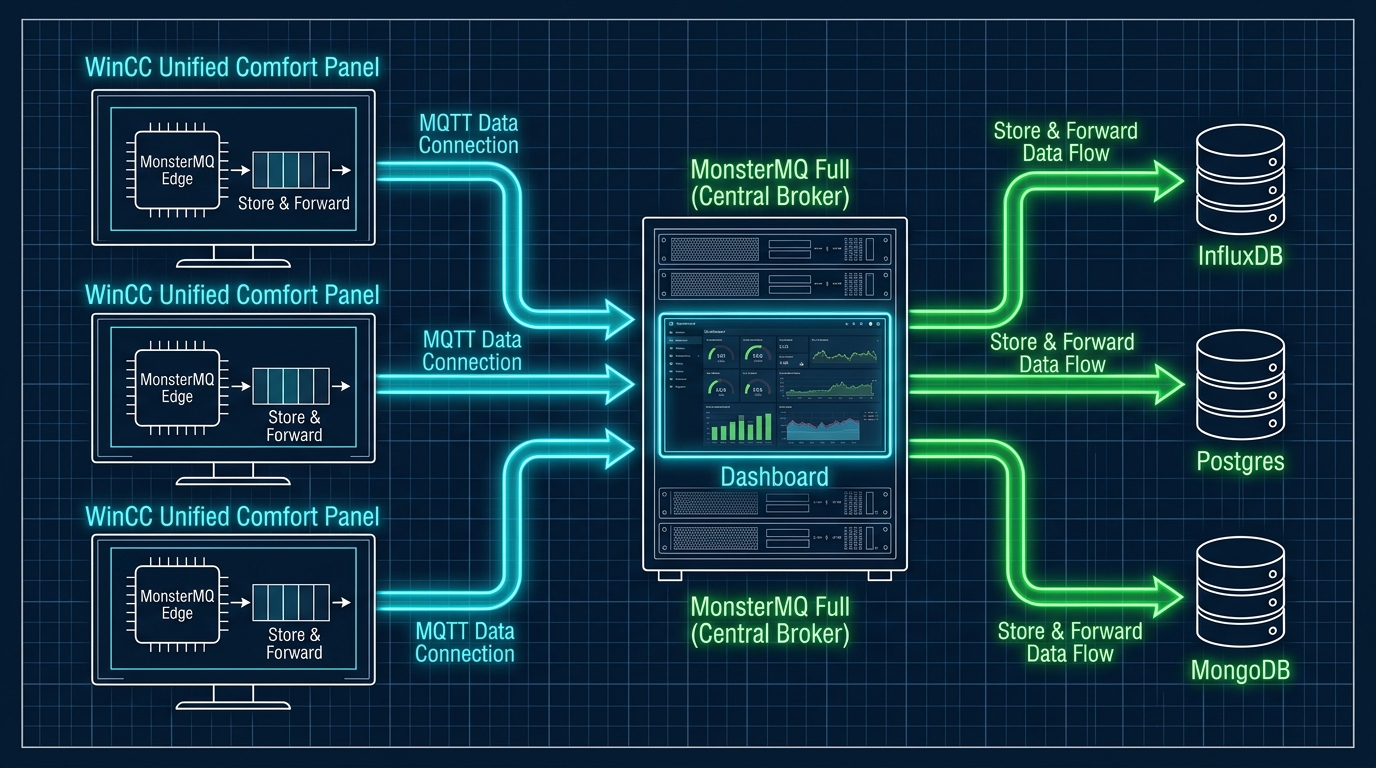
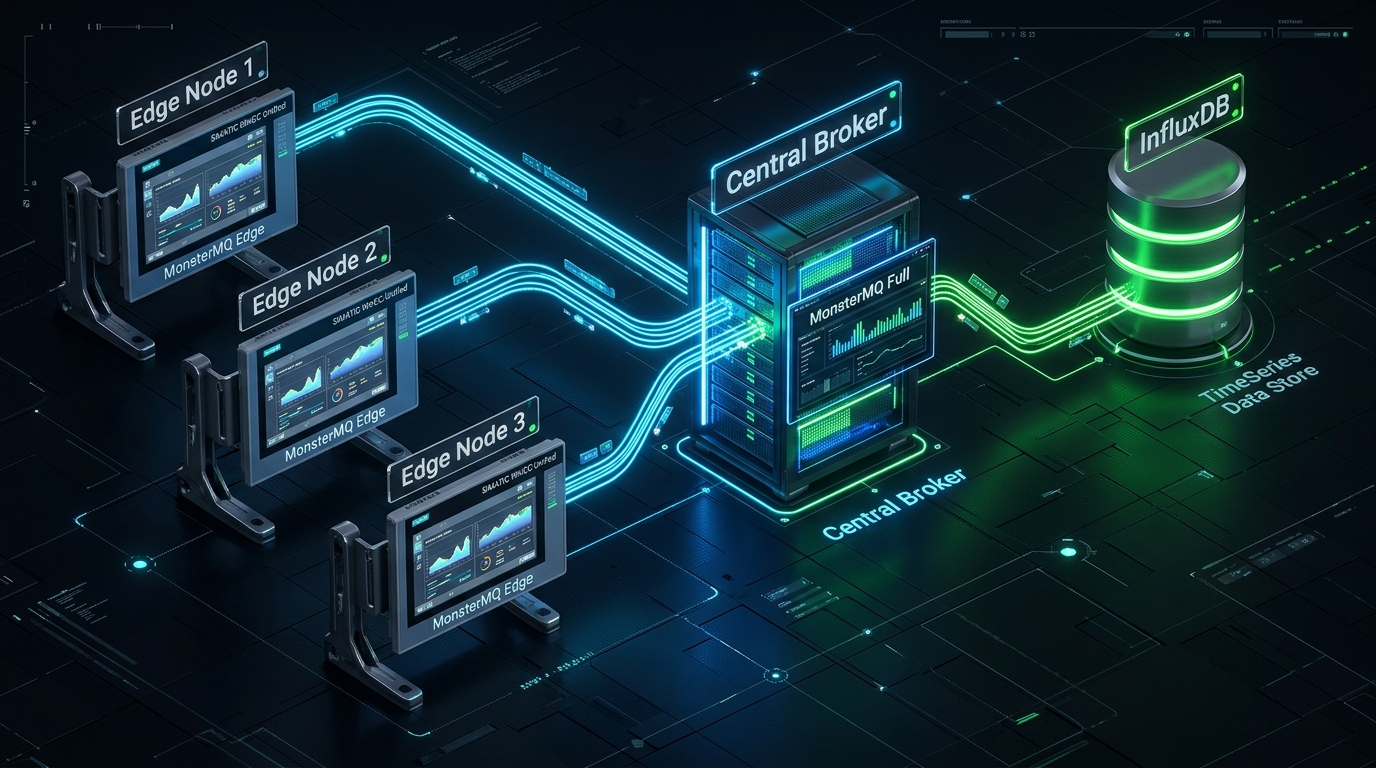
In a production deployment, you can run **MonsterMQ Edge** on multiple WinCC Unified Comfort Panels across the factory floor. Each edge instance forwards its tag data to a central **MonsterMQ Full** broker. The central broker then stores and forwards the aggregated stream directly into a database like **InfluxDB** for historical archiving and dashboarding.
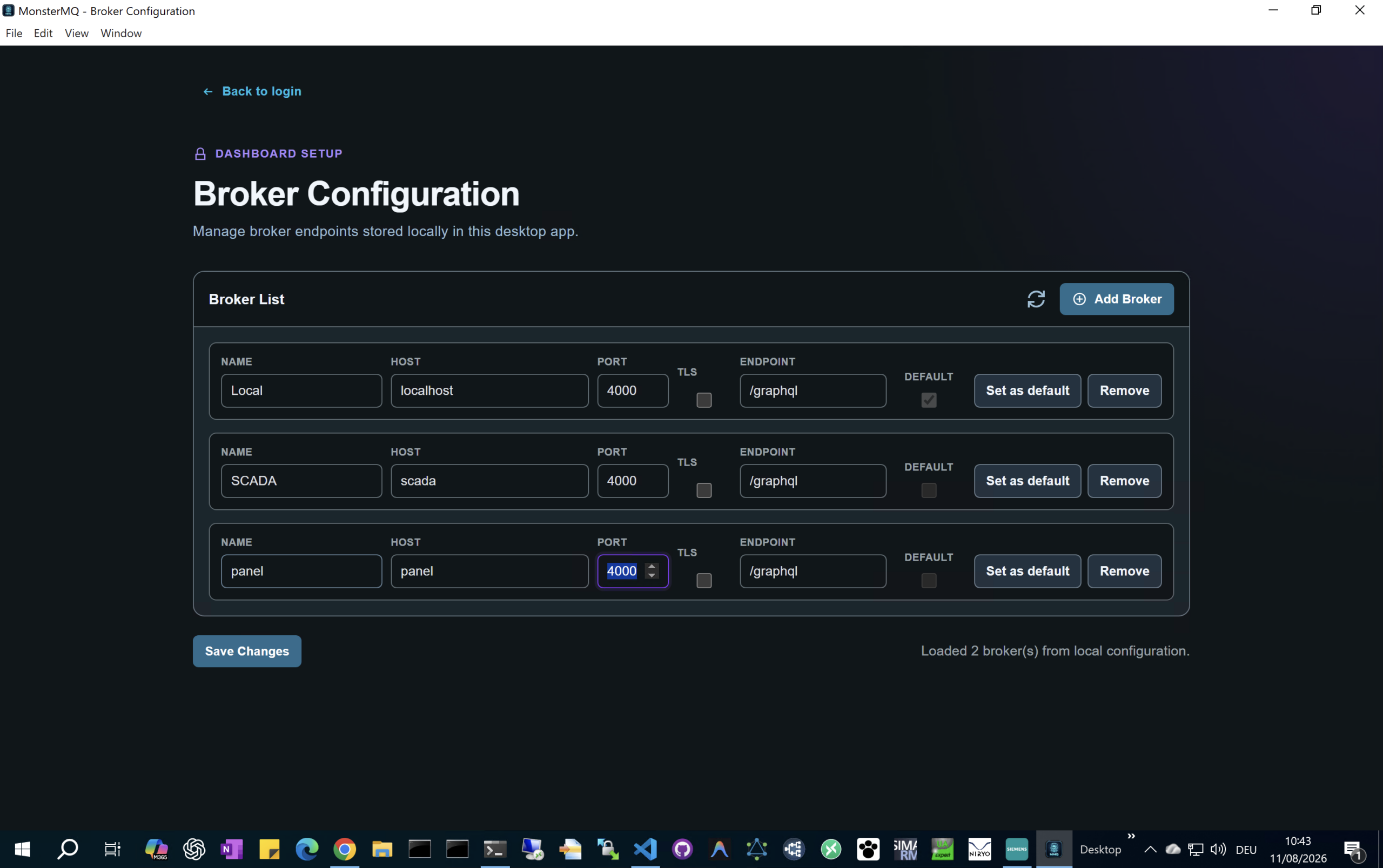
Additionally, the central broker can host the MonsterMQ Dashboard to manage all brokers—including the ones running on the panels—providing a single, unified interface to manage your entire broker network.
Vacation day 🏝️ I have published the MonsterMQ Edge MQTT Broker as an Industrial Edge app, bringing a lightweight, single-binary MQTT broker directly to your SIMATIC WinCC Unified Comfort Panels with a data connection to the runtime data.
2. Rename: Change the file extension from .tar to .app (MonsterMQ-Edge.app).
3. Upload & Start: Upload the .app file directly to your panel (with Industrial Edge enabled) and launch it.
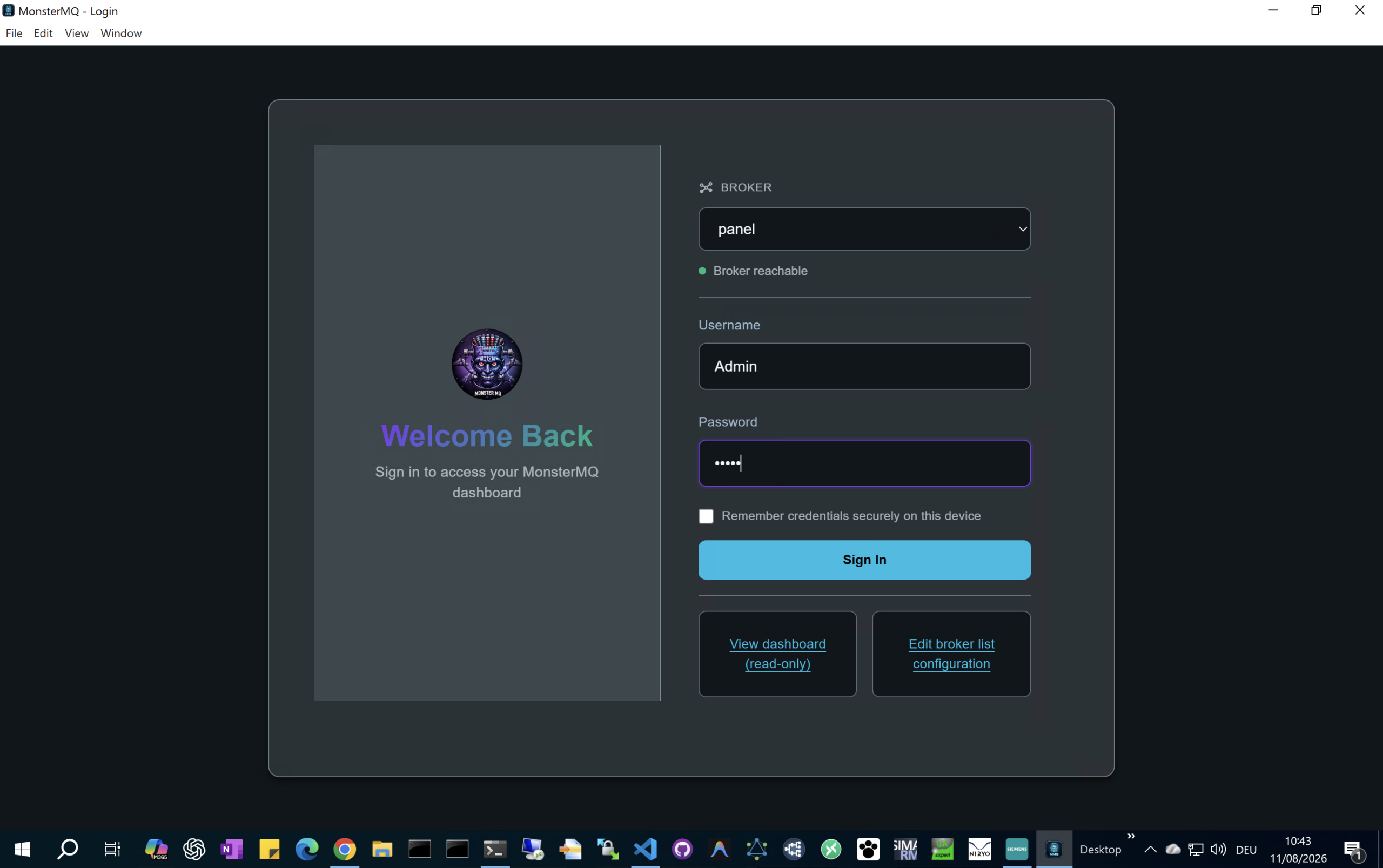
4. Configure: Connect and manage the broker using the MonsterMQ Dashboard app, available under releases at MonsterMQ GitHub https://github.com/vogler75/monster-mq/releases
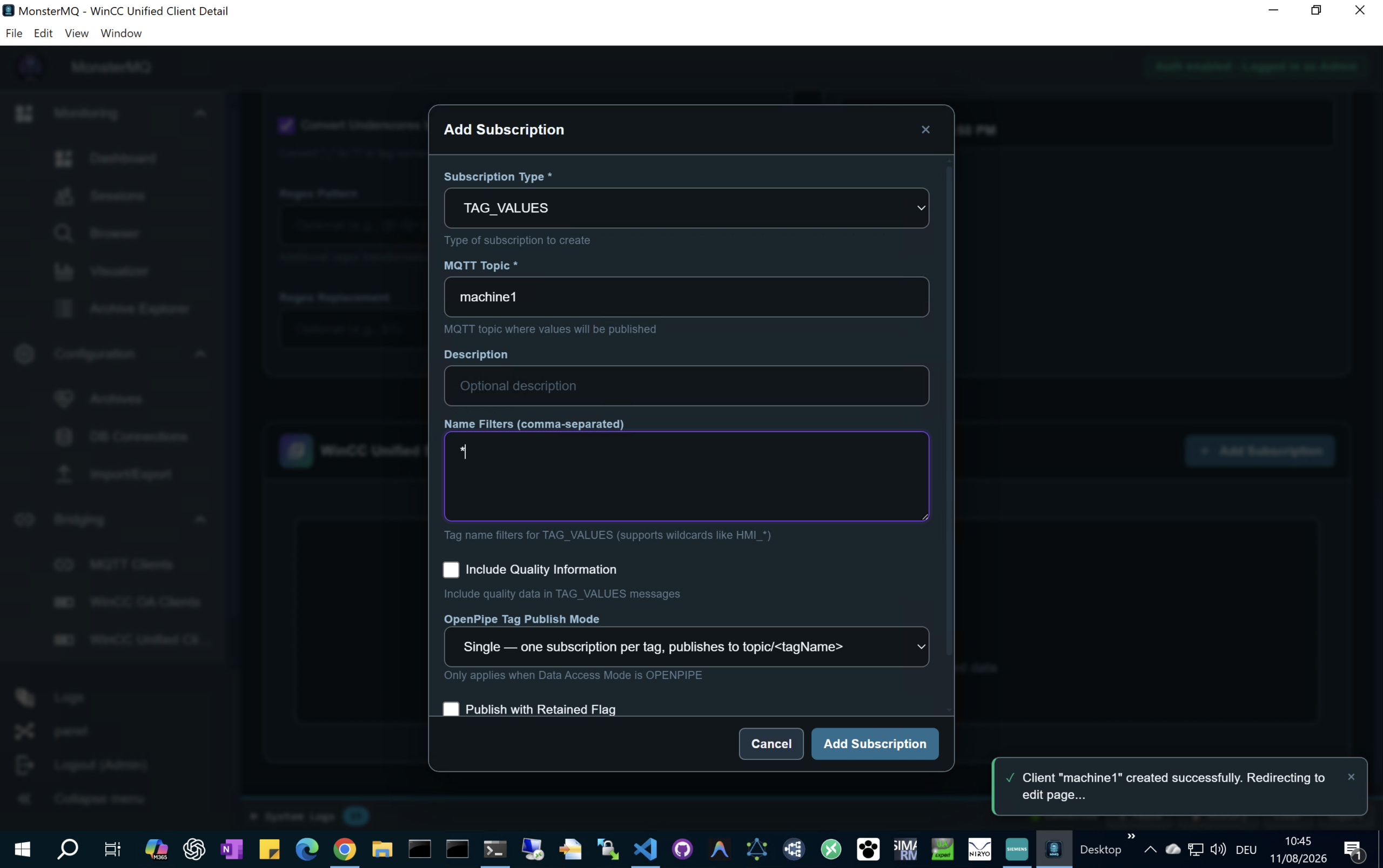
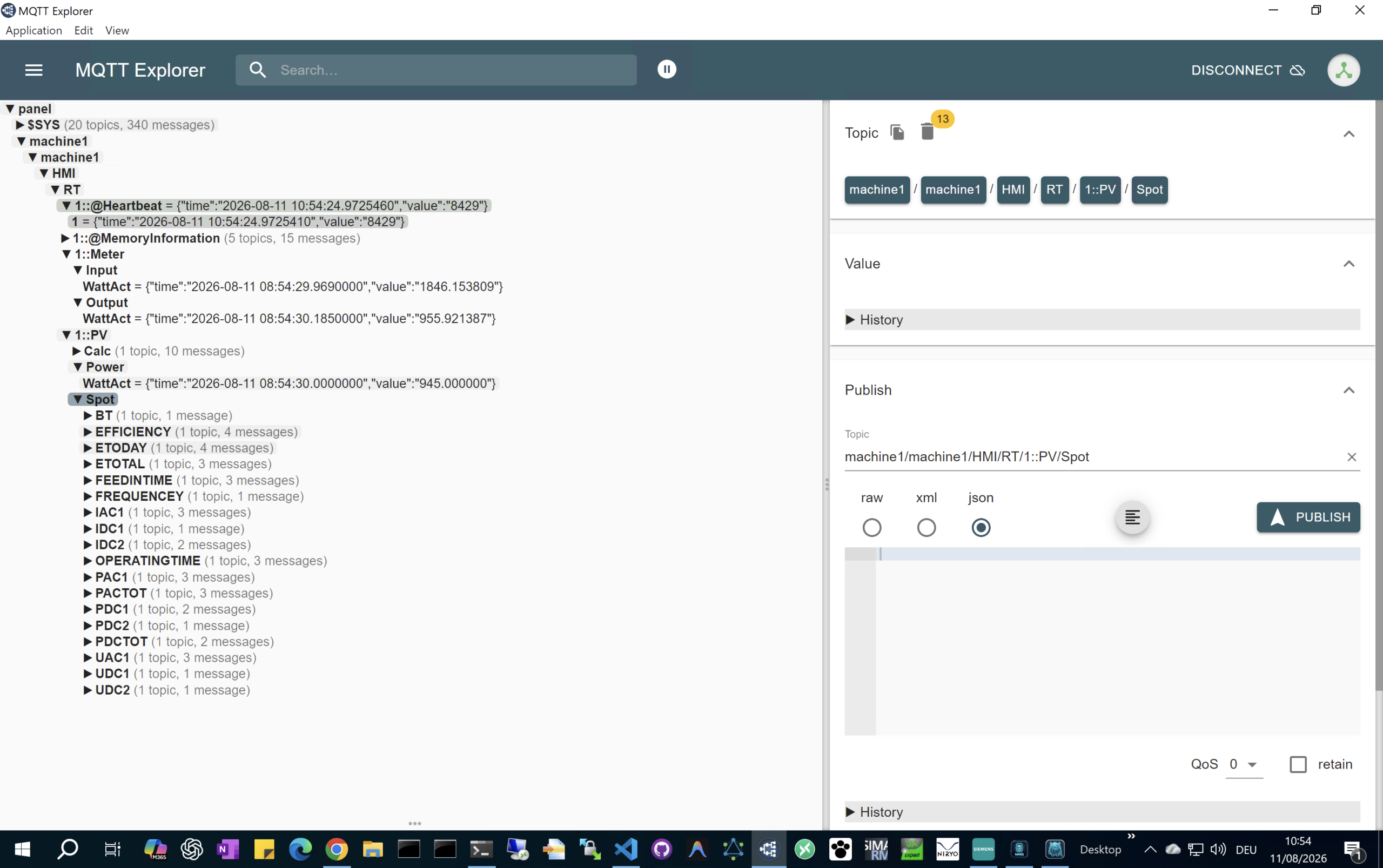
See how you can configure the HMI Tags to be exposed via MQTT
👉 https://youtu.be/C9KdrntWjec
⚠️ Use “/tmp/automation/HmiRuntime” as the Pipe Path!
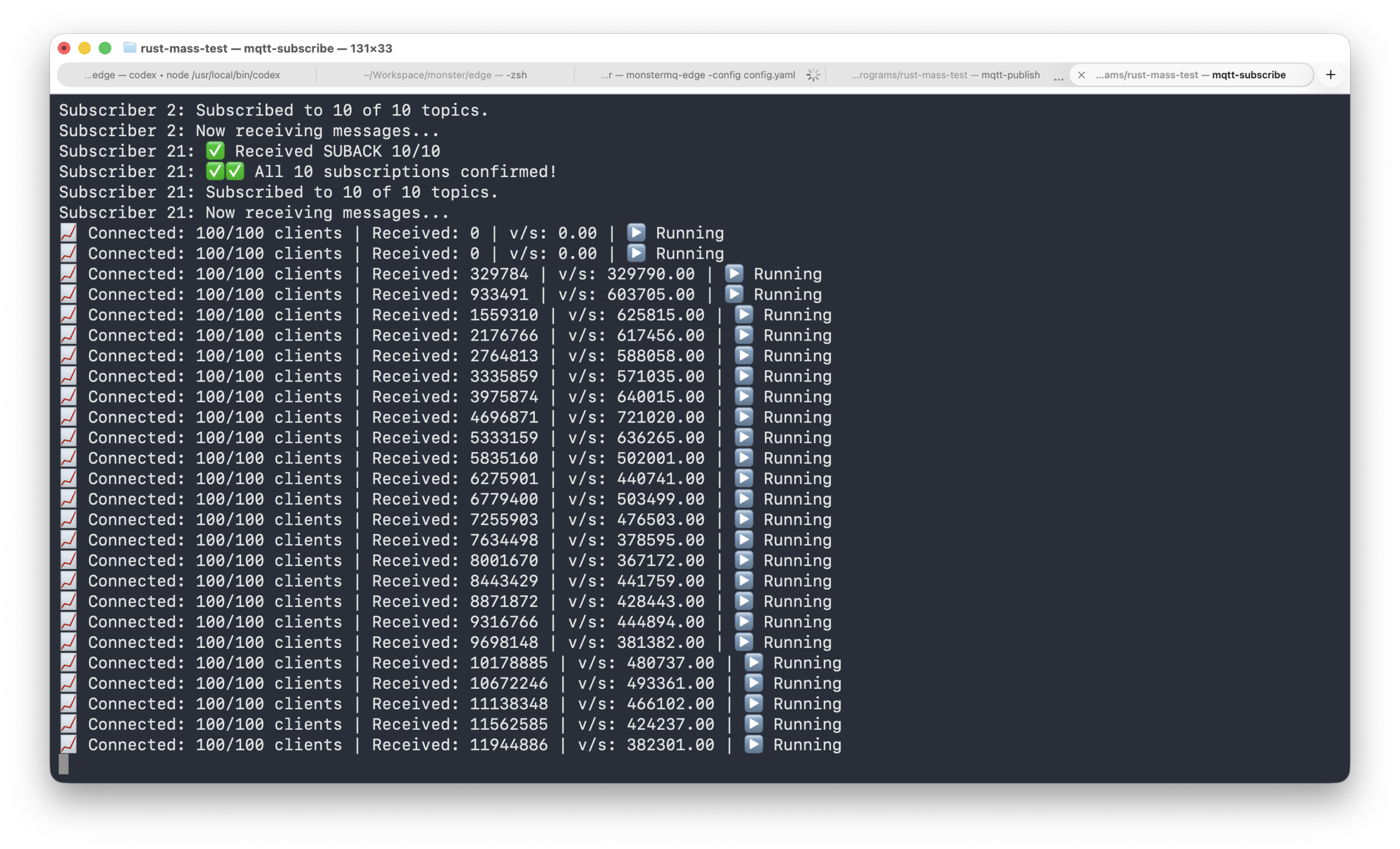
We recently ran a benchmark test pushing **MonsterMQ-Edge** to its limits on a single fanless MacBook Air.
During the test, the CPU throttled due to the lack of active cooling, which restricted the hardware’s performance. Despite this thermal throttling, MonsterMQ-Edge—running alongside two lightweight Rust test programs—successfully sent and received approximately **500 kHz** (500,000 messages per second).
This demonstration showcases the resilience, low overhead, and high performance of MonsterMQ-Edge even under thermally constrained hardware conditions.