Is your valuable machine data locked away and inaccessible?
If you are running a **Siemens SIMATIC WinCC Unified Comfort Panel**, you are in luck! You already have the power to unlock that data and stream it anywhere you need.
Here is how you can liberate your machine data in a few steps using **MonsterMQ Edge**:
### 1. Enable Industrial Edge
First, enable the **Industrial Edge** runtime on your WinCC Unified Comfort Panel (note: this typically requires a Siemens Industrial Edge license). This turns your HMI panel into an extensible edge device.
### 2. Deploy MonsterMQ Edge
Next, install the lightweight, single-binary **MonsterMQ Edge MQTT Broker** as an Industrial Edge app. As detailed in our [previous setup guide](https://www.rocworks.at/wordpress/?p=1717):
– Download `MonsterMQ-Edge.tar` from the [GitHub Releases](https://github.com/vogler75/monster-mq-edge/releases).
– Rename the file extension to `.app`.
– Upload and launch the app on your panel.
### 3. Connect to the Runtime
Once MonsterMQ Edge is running, configure it to connect to your panel’s runtime data. Use `/tmp/automation/HmiRuntime` as the Pipe Path to establish the data connection.
### 4. Stream to MQTT, Databases, & More!
With the connection established, MonsterMQ Edge exposes your machine tags via MQTT. But it doesn’t stop there:
– **Broker Forwarding**: MonsterMQ Edge can forward MQTT data directly to other cloud or enterprise-level MQTT brokers.
– **Database Integration**: It can write your runtime data immediately into databases for archiving and real-time analysis.
—
### 🌐 Scalable IoT Architecture
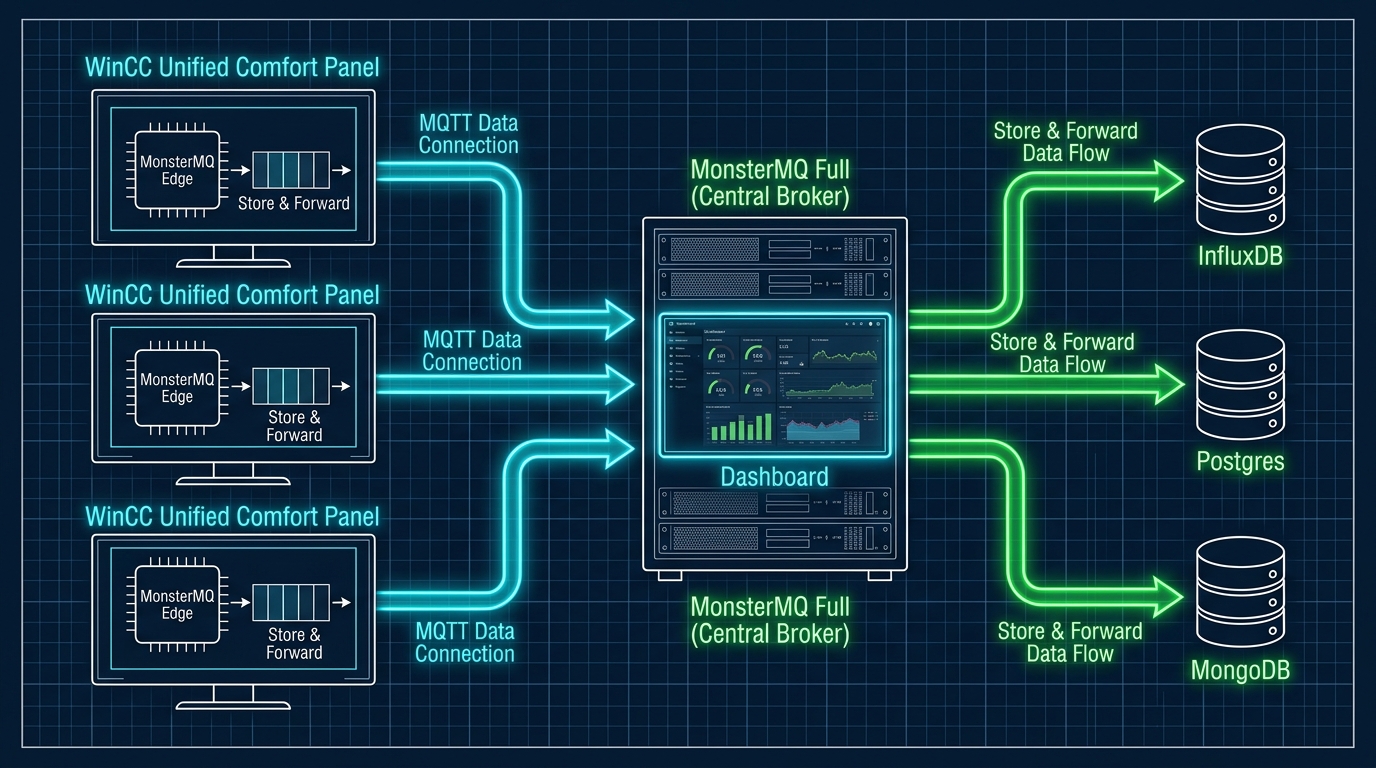
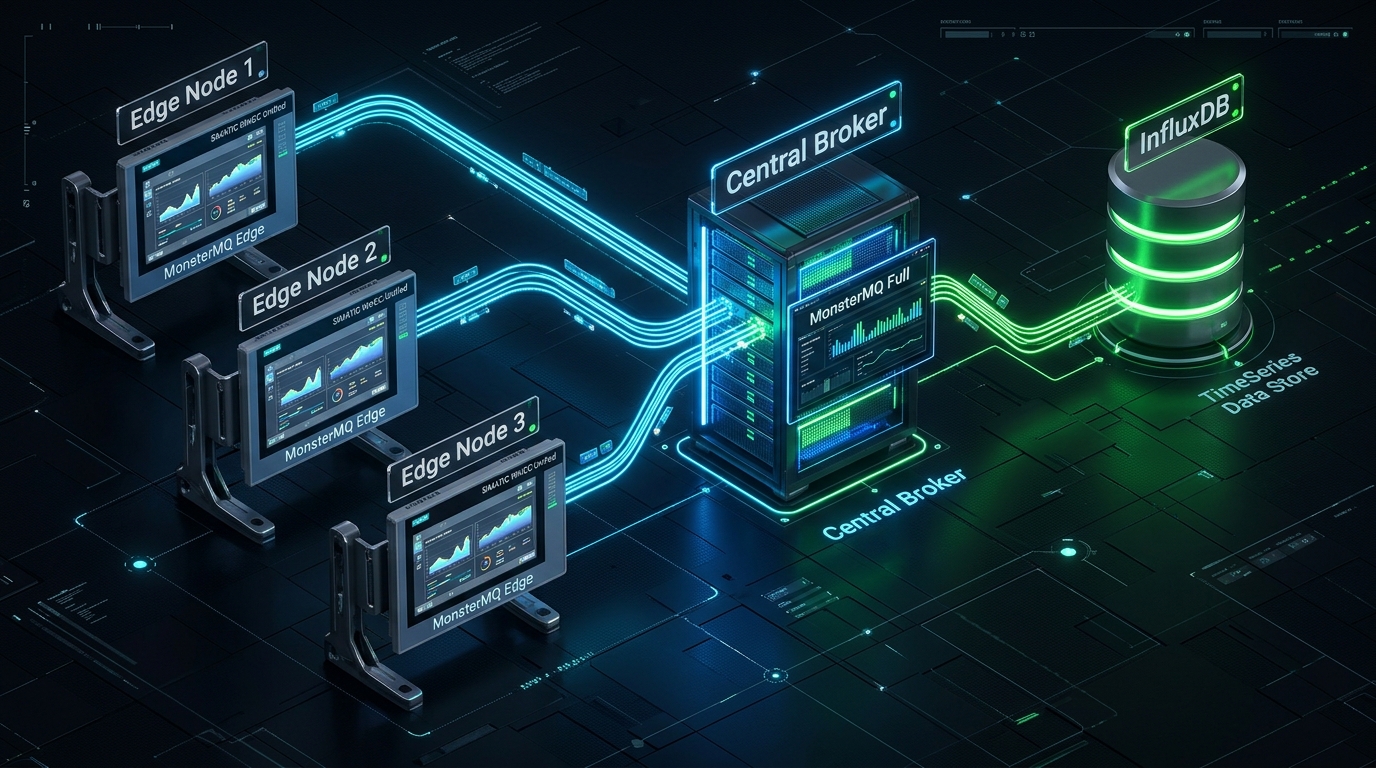
In a production deployment, you can run **MonsterMQ Edge** on multiple WinCC Unified Comfort Panels across the factory floor. Each edge instance forwards its tag data to a central **MonsterMQ Full** broker. The central broker then stores and forwards the aggregated stream directly into a database like **InfluxDB** for historical archiving and dashboarding.
Additionally, the central broker can host the MonsterMQ Dashboard to manage all brokers—including the ones running on the panels—providing a single, unified interface to manage your entire broker network.