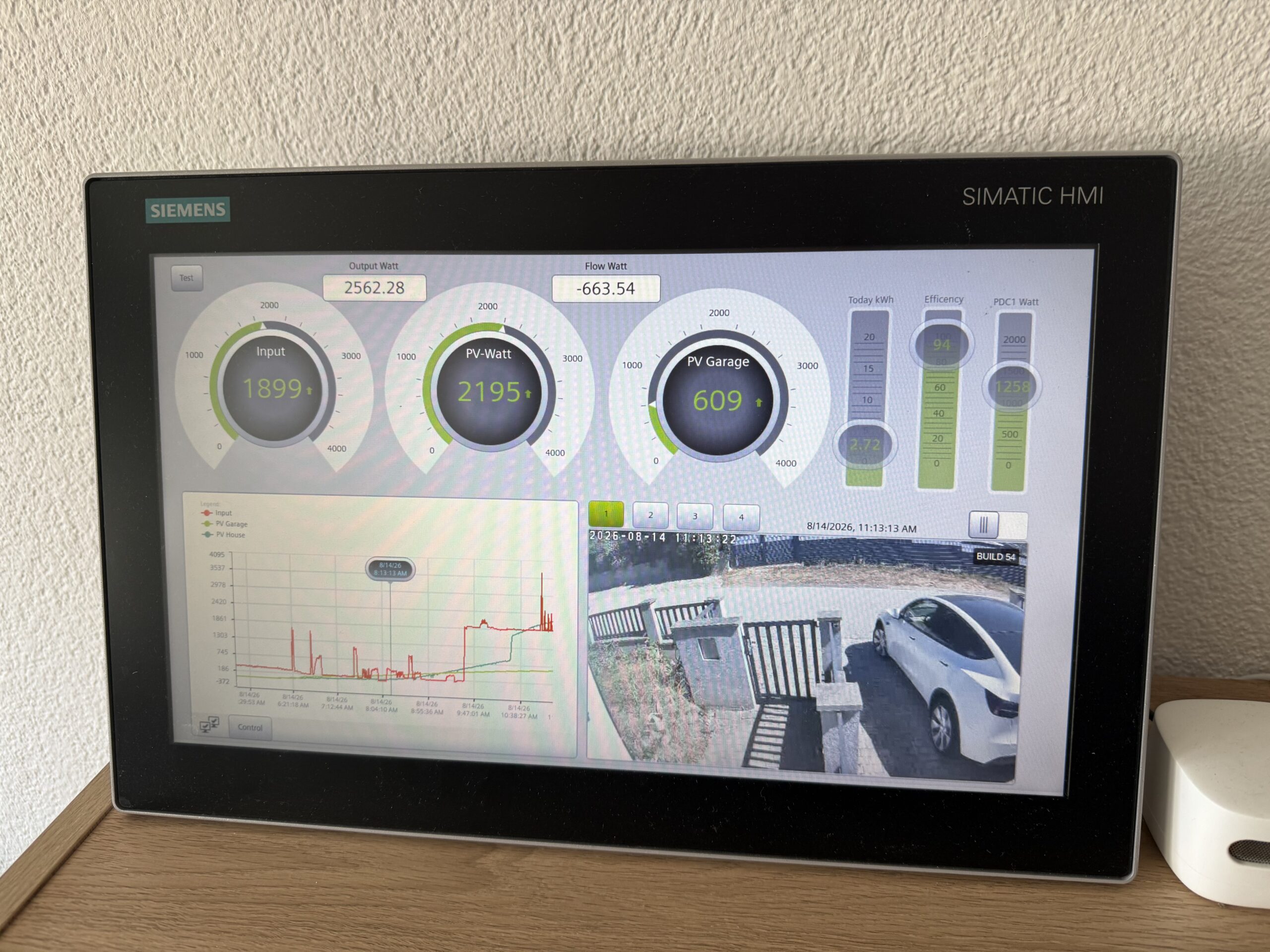
I love having a Siemens SIMATIC WinCC Unified Comfort Panel running at home. It operates 24/7 without a single hiccup, consumes minimal energy, and having a dedicated, rugged industrial touch panel to check the real-time status of the house at a glance is simply awesome.
However, there has always been a catch: I am an IT guy.
I never enjoyed building UIs from scratch—and honestly, designing HMIs inside classic engineering environments like TIA Portal is not something I look forward to on the weekend.
So, I decided to solve this in true IT & Edge fashion.
The Evolution: MonsterMQ as an Industrial Edge App
MonsterMQ Edge already runs seamlessly as a Siemens Industrial Edge Application directly on SIMATIC WinCC Unified Comfort Panels, bridging panel runtime data and MQTT with ultra-low latency and minimal resource footprint.
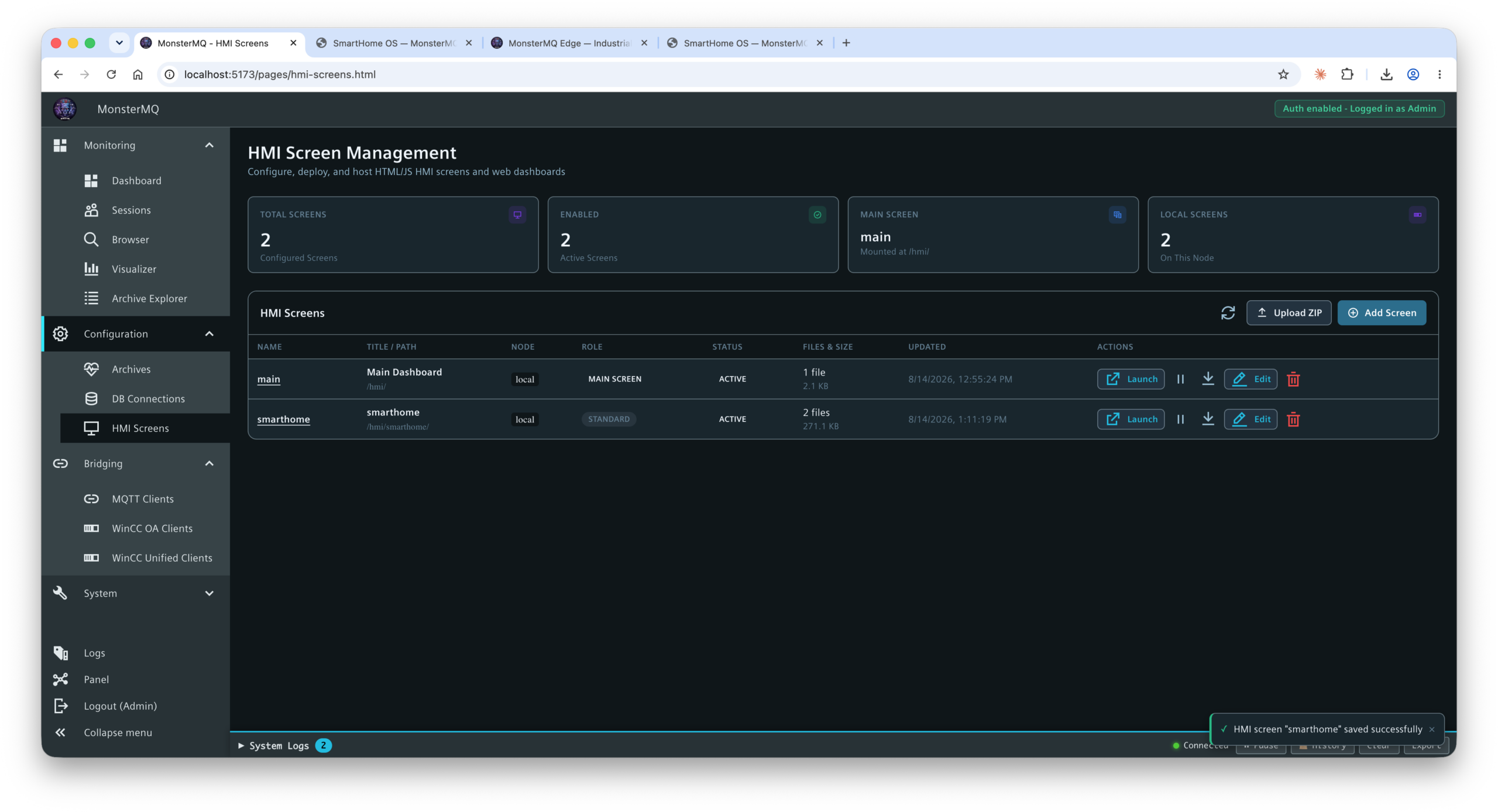
Now, I’ve taken it one step further: MonsterMQ brokers can host simple, web-based HMI pages directly!
No heavy web server stack needed, no extra middleware—the broker itself serves your custom web interfaces.
The Workflow: Letting AI Build & Deploy the Dashboard
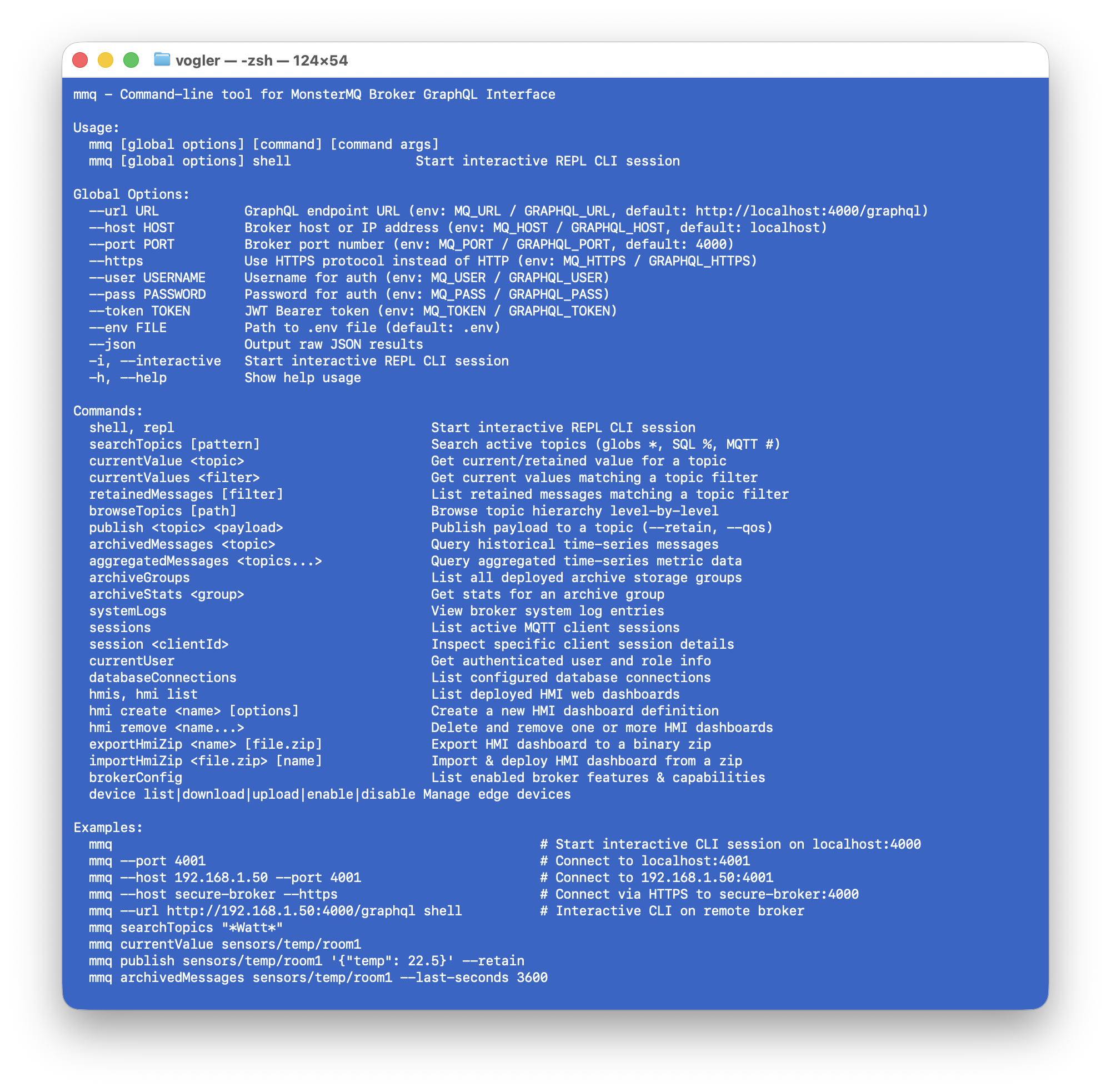
By combining MonsterMQ’s web hosting capabilities with our brand-new MonsterMQ CLI and AI skills, the workflow becomes almost magical:
- Live Data Discovery: The AI connects via the MonsterMQ CLI to browse active topics, payloads, and live metrics within the broker.
- Automated UI Generation: Based on the discovered telemetry and tag schema, the AI designs a clean, modern, touch-optimized web dashboard (HTML5/CSS/JavaScript).
- Instant Edge Deployment: Using the CLI, the generated HMI is deployed directly onto the MonsterMQ broker running on the WinCC Unified Comfort Panel.
The Result: Modern, AI-Crafted Web HMIs
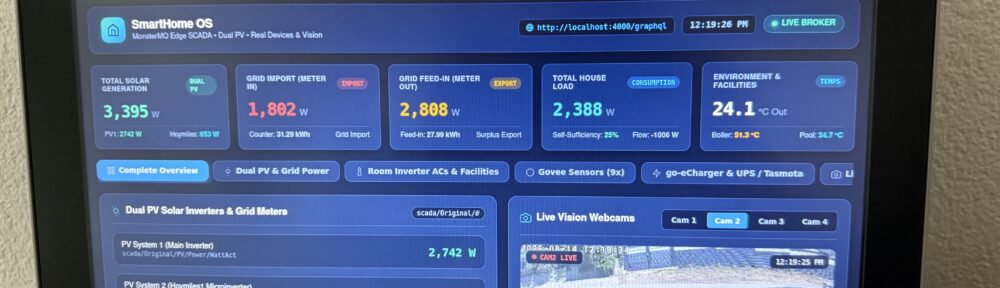
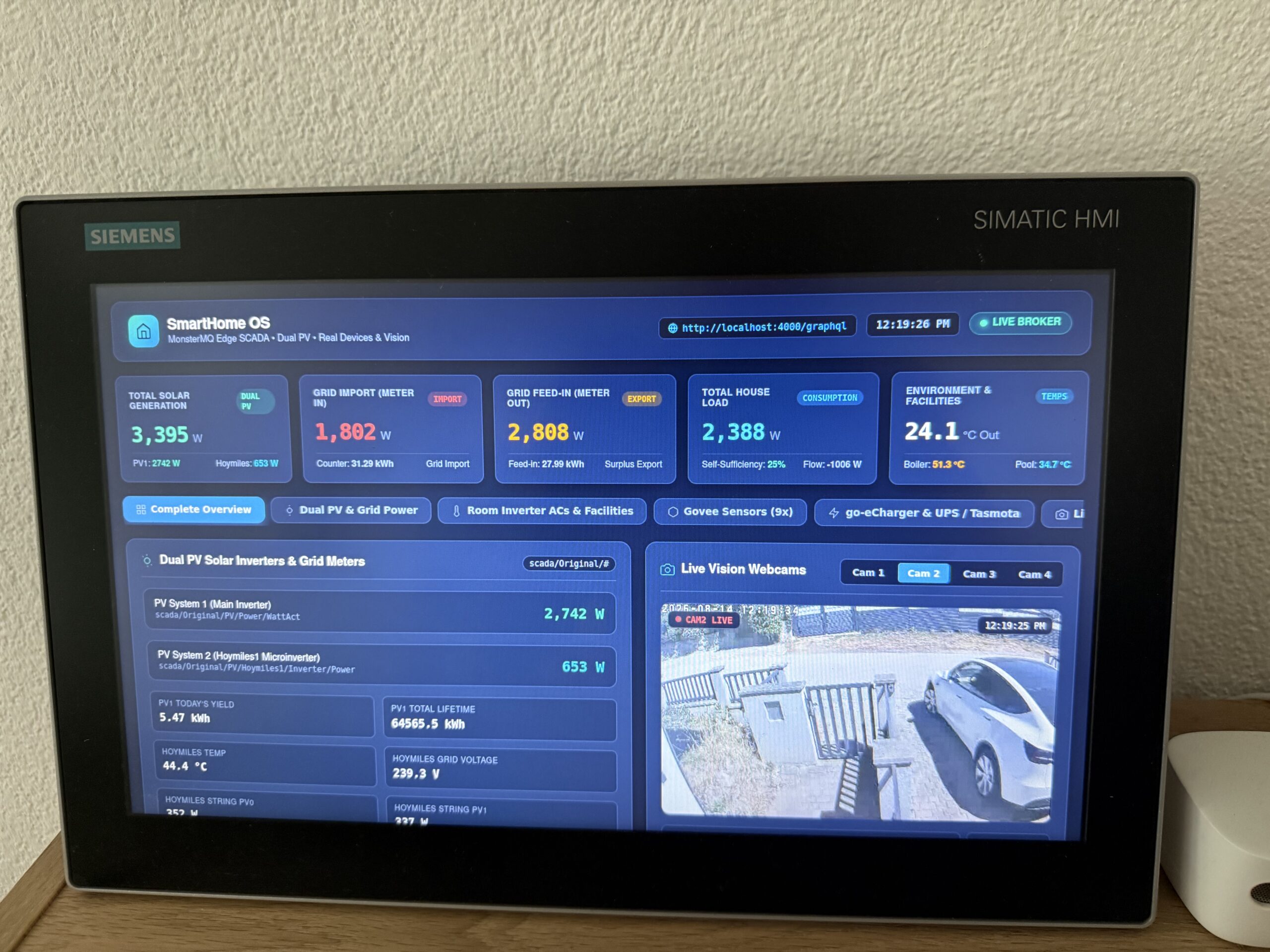
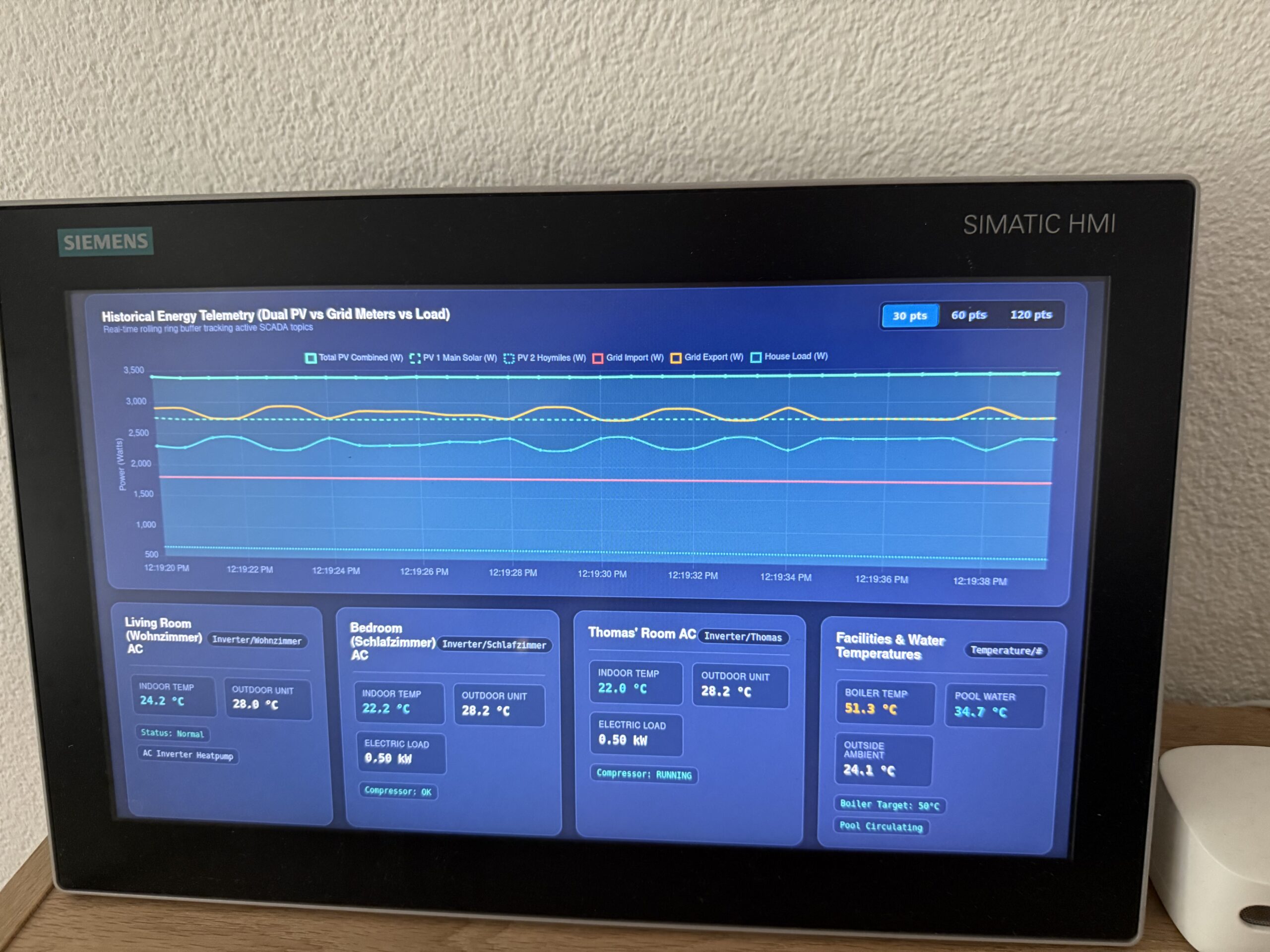
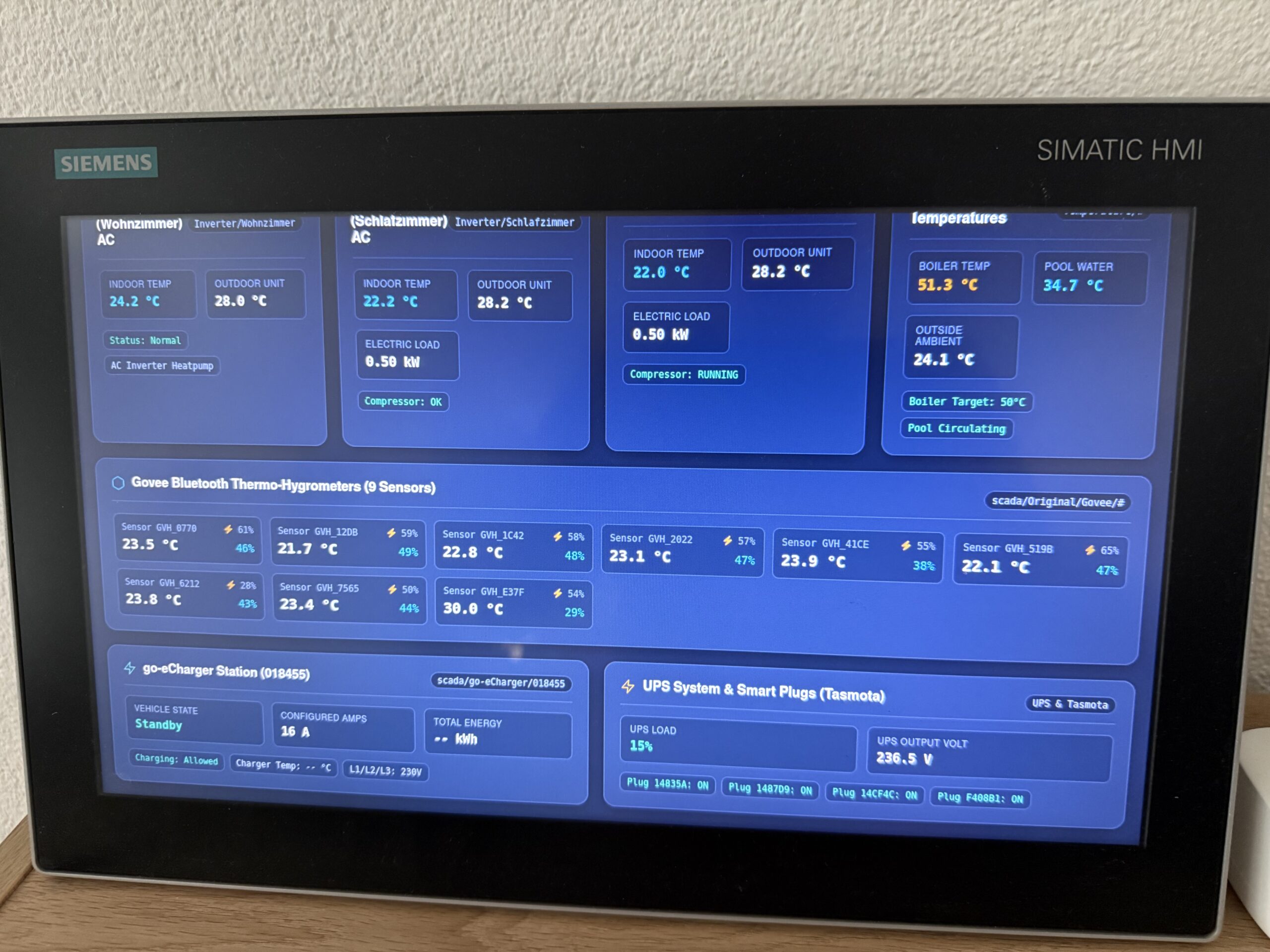
Here is what the newly generated web dashboard looks like running live on the WinCC Unified Comfort Panel touch screen:
Why This Changes the Game
- ⚡ Zero TIA Portal UI Hassle: Keep your PLC/Runtime logic clean without spending hours aligning screen objects manually.
- 🤖 AI-Driven Rapid Prototyping: Go from raw MQTT telemetry to a polished, responsive dashboard in minutes.
- 🏭 True Industrial Edge Native: Everything runs locally on the panel via Siemens Industrial Edge—secure, self-contained, and low-energy.
- 📱 Modern & Touch-Ready: Crisp web standards that look great whether you are tapping the panel screen or opening the URL on a tablet or phone.
Getting Started & Resources
- MonsterMQ Tools (CLI & AI Skills): monster-mq-tools GitHub
- MonsterMQ Edge Releases: MonsterMQ-Edge Releases
- MonsterMQ Dashboard & Broker: MonsterMQ GitHub
Stay tuned for quick video walkthroughs and demo repositories showing the AI prompt-to-panel pipeline!
#Siemens #WinCCUnified #IndustrialEdge #MonsterMQ #MQTT #IIoT #EdgeComputing #GenerativeAI #SmartHome #Automation