A new HowTo and FAQ Portal for WinCC OA, Oracle and more is now online: http://www.winccoa.net/
Category: Allgemein
Simple Windows Phone App to get Push Notifications from WinCC OA…
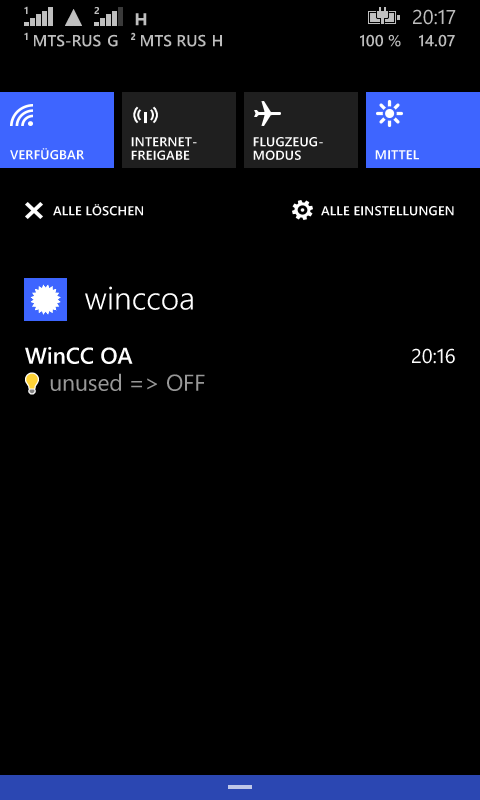
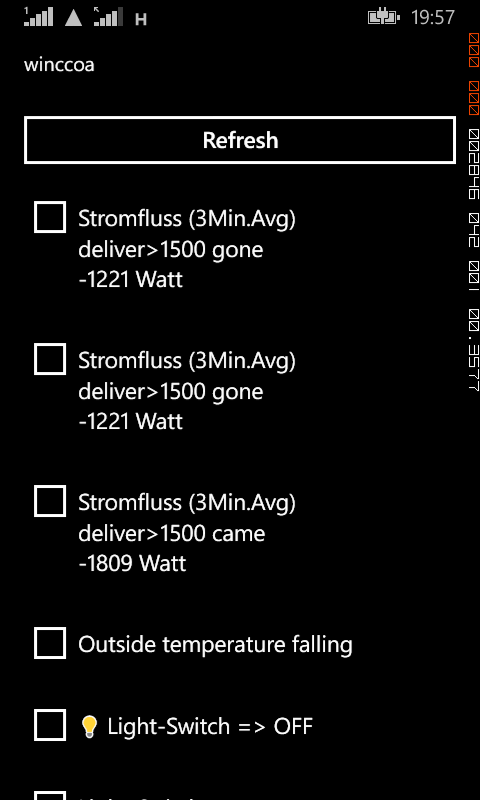
A very simple Windows-Phone-App to receive push notifications from WinCC OA (Alerts, Events, …) based on Windows-Azure-Mobile.

Downtime Query WinCC OA with RDB-Manager…
Example how to query the downtime of a device which has an alert configuration on the state of the machine (state 0/1):
select element_name, sum(downtime) downtime from (

select e.element_name,

       h.ts,

       h.VALUE_NUMBER,

       h.direction,

       case

         when h.DIRECTION = 0 then

          CAST((h.ts + 0) - ((lag(h.ts, 1, h.ts) OVER(ORDER BY ts)) + 0) AS FLOAT)*24*60*60

         else

          null

       end as downtime

  from elements e

  join alerthistory h

    on e.element_id = h.ELEMENT_ID

 where e.element_name like

       'Device_%.Status'

   and ts between to_date('01.07.2014','DD.MM.YYYY') and to_date('31.07.2014','DD.MM.YYYY')

) group by element_name
Oracle 12c unified audit trail fills up SYSAUX tablespace (schema AUDSYS)
-- clean audit trail for the current container

BEGIN

  DBMS_AUDIT_MGMT.CLEAN_AUDIT_TRAIL(

   AUDIT_TRAIL_TYPE           =>  DBMS_AUDIT_MGMT.AUDIT_TRAIL_UNIFIED,

   USE_LAST_ARCH_TIMESTAMP    =>  FALSE,

   CONTAINER                  =>  DBMS_AUDIT_MGMT.CONTAINER_CURRENT );

END;
-- drop purge job
BEGIN
DBMS_AUDIT_MGMT.DROP_PURGE_JOB(
AUDIT_TRAIL_PURGE_NAME => 'Audit_Trail_PJ');
END;
/
-- create purge job for current container
BEGIN
DBMS_AUDIT_MGMT.CREATE_PURGE_JOB (
AUDIT_TRAIL_TYPE => DBMS_AUDIT_MGMT.AUDIT_TRAIL_UNIFIED,
AUDIT_TRAIL_PURGE_INTERVAL => 12,
AUDIT_TRAIL_PURGE_NAME => 'Audit_Trail_PJ',
USE_LAST_ARCH_TIMESTAMP => FALSE,
CONTAINER => DBMS_AUDIT_MGMT.CONTAINER_CURRENT);
END;
/
/
Windows 8 Move/Recover Offscreen(Hidden) Window…
Click the application in question on the task bar and press:
Windows-Key + Up ==> Maximize
Windows-Key + Left ==> place to left
Windows-Key + Right ==> place to right
Windows-Key + Down ==> Restore-Size
RDB-Manager Oracle Scheduler Jobs
SELECT * FROM dba_scheduler_jobs WHERE job_name = 'J_ARCHIVEMON'

SELECT * FROM dba_scheduler_job_log WHERE job_name = 'J_SWITCHMON'
purge scheduler logs:
BEGIN
dbms_scheduler.purge_log;
END;
Change Apple Mac OSX Computername/Hostname…
mac1:~ root# scutil –set HostName mac1
mac1:~ root# scutil –set ComputerName mac1
mac1:~ root# scutil –set LocalHostName mac1
Windows uninstall nonpresent devices…
When you want to rename a network adapter and you go “Cannot rename this connection. A connection with the name you specified already exists. Specify a different name.” You get this message for examle exwhen you changed the network card and you want to change the name of the new one to the same name the old one had.
Solution is to remove the old unused network adapter:
1.Click Start, click Run, type cmd.exe, and then press ENTER.
2.Type set devmgr_show_nonpresent_devices=1, and then press ENTER.
3.Type Start DEVMGMT.MSC, and then press ENTER.
4.Click View, and then click Show Hidden Devices.
5.Expand the Network Adapters tree.
6.Right-click the dimmed network adapter, and then click Uninstall
SmartHome Power Monitoring with WinCC OA and Oracle/APEX…
Power Monitoring http://rocworks.no-ip.org:8080/apex/f?p=100
The system also controls my hot water boiler heater
Windows VPN connection with local default gateway…
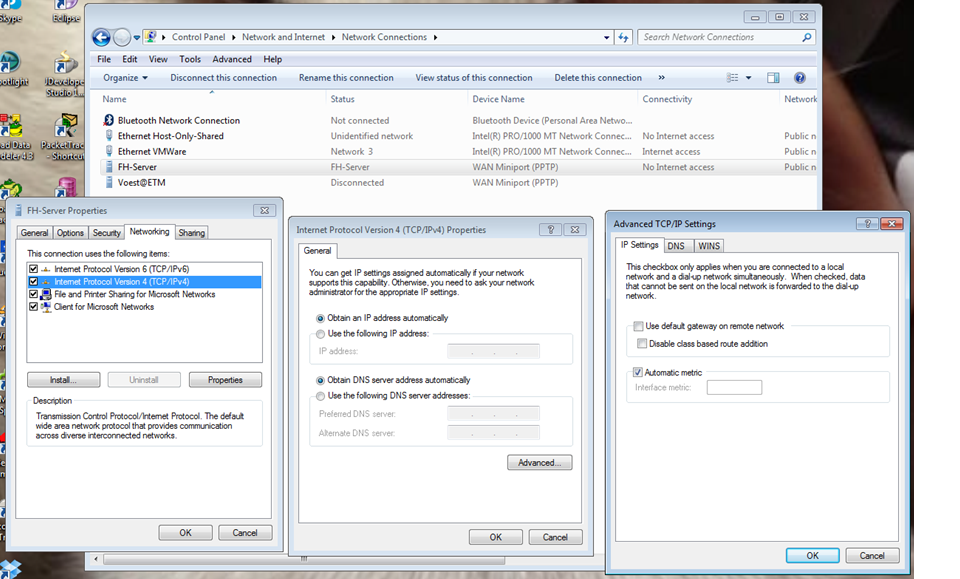
If you have created a VPN connection then as default the network configuration will be changed so that the gateway is set to the remote network. Then you will not be able to access the local network and also you will not have access to the local internet.
This can be changed by removing the setting “Use default gateway on remote network”: