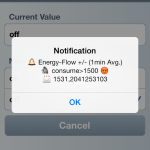
This gallery contains 2 photos.
Integrated Push Notifications to the WinCC OA iOS App (WinCC OA Operator). Powered by Windows Azure …

This gallery contains 2 photos.
Integrated Push Notifications to the WinCC OA iOS App (WinCC OA Operator). Powered by Windows Azure …
Local IP/Name: vm1.rocworks-vm1.f1.internal.cloudapp.net
Public IP/Name: rocworks-vm1.cloudapp.net
Client will connect through the Public IP.
Server
[general]

dataHost = "vm1.rocworks-vm1.f1.internal.cloudapp.net"

eventHost = "vm1.rocworks-vm1.f1.internal.cloudapp.net"
[proxy]
server = "vm1.rocworks-vm1.f1.internal.cloudapp.net:4897"
server = "vm1.rocworks-vm1.f1.internal.cloudapp.net:4998"Client
[general]

dataHost = "vm1.rocworks-vm1.f1.internal.cloudapp.net"

eventHost = "vm1.rocworks-vm1.f1.internal.cloudapp.net"
mxProxy = "vm1.rocworks-vm1.f1.internal.cloudapp.net rocworks-vm1.cloudapp.net:5678 cert"Note: It is important that the proxy port is set! (even if this port is the default port of the proxy).
Client-Project/config/
host-cert.pem
host-key.pem
root-cert.pem
if a newly added disk is not visible in solaris, then maybe hotplug is not enabled.
Eenable hotplug: > svcadm enable hotplug
Demo: http://youtu.be/aCE8-84lAg0
Install the Android-App: http://rocworks.at/project/push/rocworks.apk (it is a very simple Test-App) and get messages sent by my “SmartHome” WinCC OA system.
Or use it with your own WinCC OA project:
Download the program from here
ASCII-Import: RocVMessage.dpl
Ctrl-Script: RocVMessage.ctc (Port 9601 is used for communication)
On a Windows Host you have to start:
RocVMessage.exe <messageHost> <projectToken>
if no messageHost is passed then localhost is used (messageHost is the host where the ctrl is running)
if no project token is passed the messages will be send to the demo project/service.
if you wanna use your own distribution circle (with a projectToken) then you can generate a project token: http://rocworks.at/project/push/qrcode
Copy the project id/token and save the QR-Image.
Start RocVMessage.exe with this project token and scan the QR-Code with the Android-App (click on “PROJECT” at the top of the app). Barcode Scanner App must be installed: https://play.google.com/store/apps/details?id=com.google.zxing.client.android
Messages are sent to those devices using the same project token as the RocVMessage.exe uses.
Sending a Push Notification: dpSet(“RocVMessage.Message.Message”, “hello from WinCC OA”);
The message will be sent to all devices which are registered to the same project token (iOS and Android!).
(Note: RocVMessage.Notification currently only works with iPhone, there is another technology behind, not yet implemented in the Android-App).
when you get the following message while building the vmware tools:
Searching for a valid kernel header path…
The path “” is not a valid path to the 3.8.13-16.3.1.el6uek.x86_64 kernel
headers.
Would you like to change it? [yes]
you first have to install the kernel-devel and kernel-header package:
> yum install kernel-uek-devel kernel-uek-headers
but there is still a version-file missing… a link can help:
ln -s /usr/src/kernels/3.8.13-16.3.1.el6uek.x86_64/include/generated/uapi/linux/version.h /usr/src/kernels/3.8.13-16.3.1.el6uek.x86_64/include/linux/version.h
mac1:~ root# scutil –set HostName mac1
mac1:~ root# scutil –set ComputerName mac1
mac1:~ root# scutil –set LocalHostName mac1
I wanted to share a directory (e.g. /share) but it didn’t work, only the users home directory worked well. The reason was “AppArmor” (you find it in the YaST Control Center), disable or configure it well, then it works.
For example when creating a big file for an iSCSI image file, a fast way is to use “fallocate”:
fallocate -l 100GB disk01.img
some permission have changed between 11 and 12, before creating a 11 database in an 12 grid environment some permission have to be changed:
./crsctl modify type ora.database.type -attr “ATTRIBUTE=TYPE_ACL, DEFAULT_VALUE=’owner:root:rwx,pgrp:dba:rwx,other::r–,group:dba:r-x,user:oracle:rwx'”
./crsctl modify type ora.service.type -attr “ATTRIBUTE=TYPE_ACL, DEFAULT_VALUE=’owner:root:rwx,pgrp:dba:rwx,other::r–,group:dba:r-x,user:oracle:rwx'”
otherwise you will get an permission error when the database will be added to the grid.
if you already got the error while creating the database with dbca then you can add the database manually to the grid, but you have to use srvctl from the 11 home directory:
/home/app/product/11.2.0/dbhome/bin/srvctl add database -d <DB> -o /home/app/product/11.2.0/dbhome
root@solaris:~# svccfg
svc:> select dns/client
svc:/network/dns/client> setprop config/nameserver = net_address: 192.168.1.14
svc:/network/dns/client> setprop config/search = astring: rocworks.local
svc:/network/dns/client> select default
svc:/network/dns/client:default> refresh
svc:/network/dns/client:default> validate
svc:/network/dns/client:default> select name-service/switch
svc:/system/name-service/switch> setprop config/host = astring: “files dns”
svc:/system/name-service/switch> select default
svc:/system/name-service/switch:default> refresh
svc:/system/name-service/switch:default> validate
check the result in /etc/resolv.conf (don’t edit this file, it will be set by svc on (re)boot)
search rocworks.local
nameserver 192.168.1.14