💬 Yesterday a client asked me:
“Generally, another important element is ACLs — but in a way that I can select topics easier with a GUI instead of using only wildcards, since I need very granular ACLs.”
☕️ I decided to implement it – my date with a lovely woman got canceled today, by her 🤨, so I suddenly had some extra time.
It was straightforward – almost everything in MonsterMQ can be configured through its GraphQL API, so building such a page was easy.
Now, ACL management just got a lot more user-friendly.
⚙️ Next up: I’m working on a lightweight flow engine, so transformations can be implemented directly in the broker – in JavaScript, but still running where the data flows.
👉 MonsterMQ.com
Category: MonsterMQ
🧩 MonsterMQ – Groundhog Day
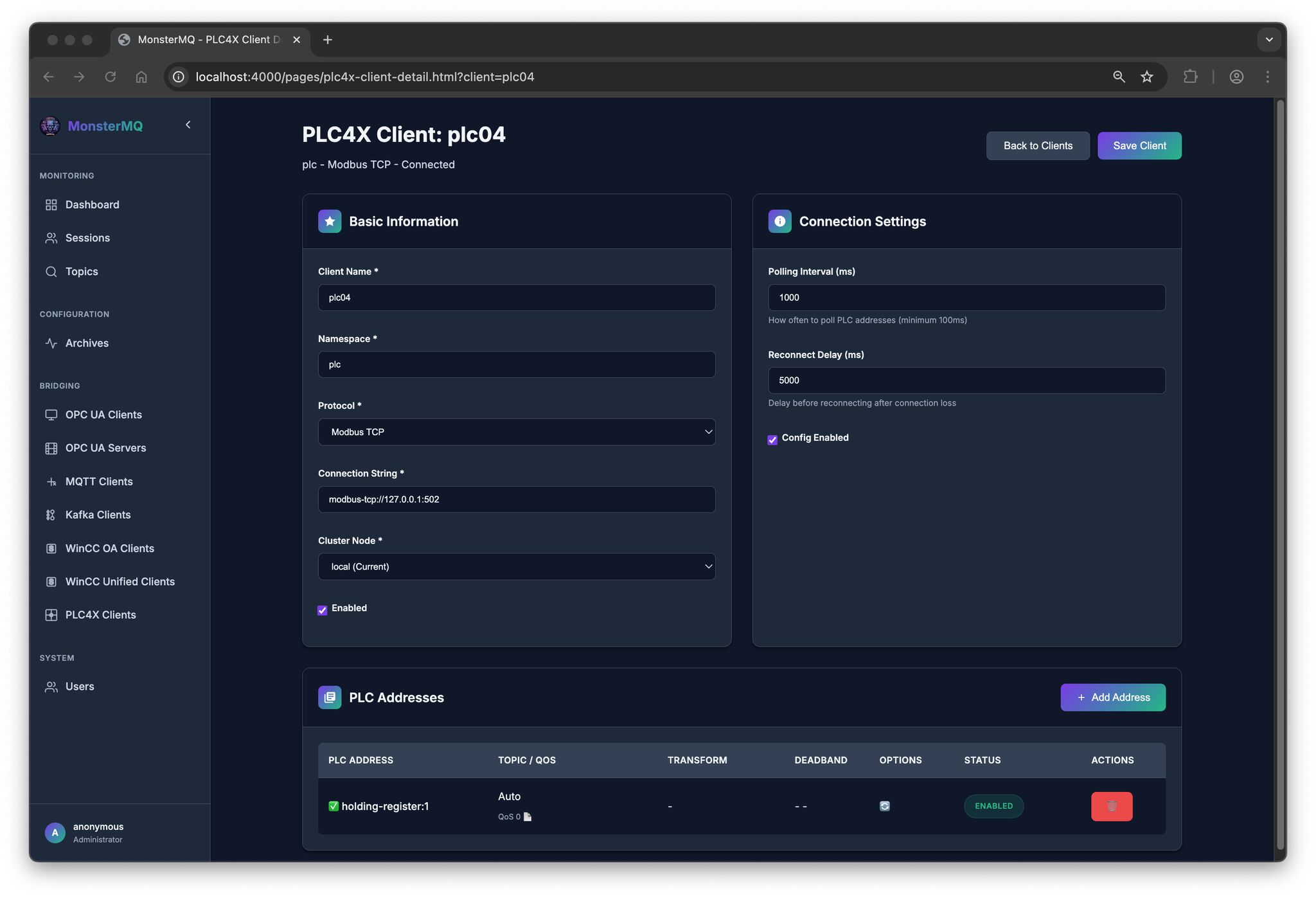
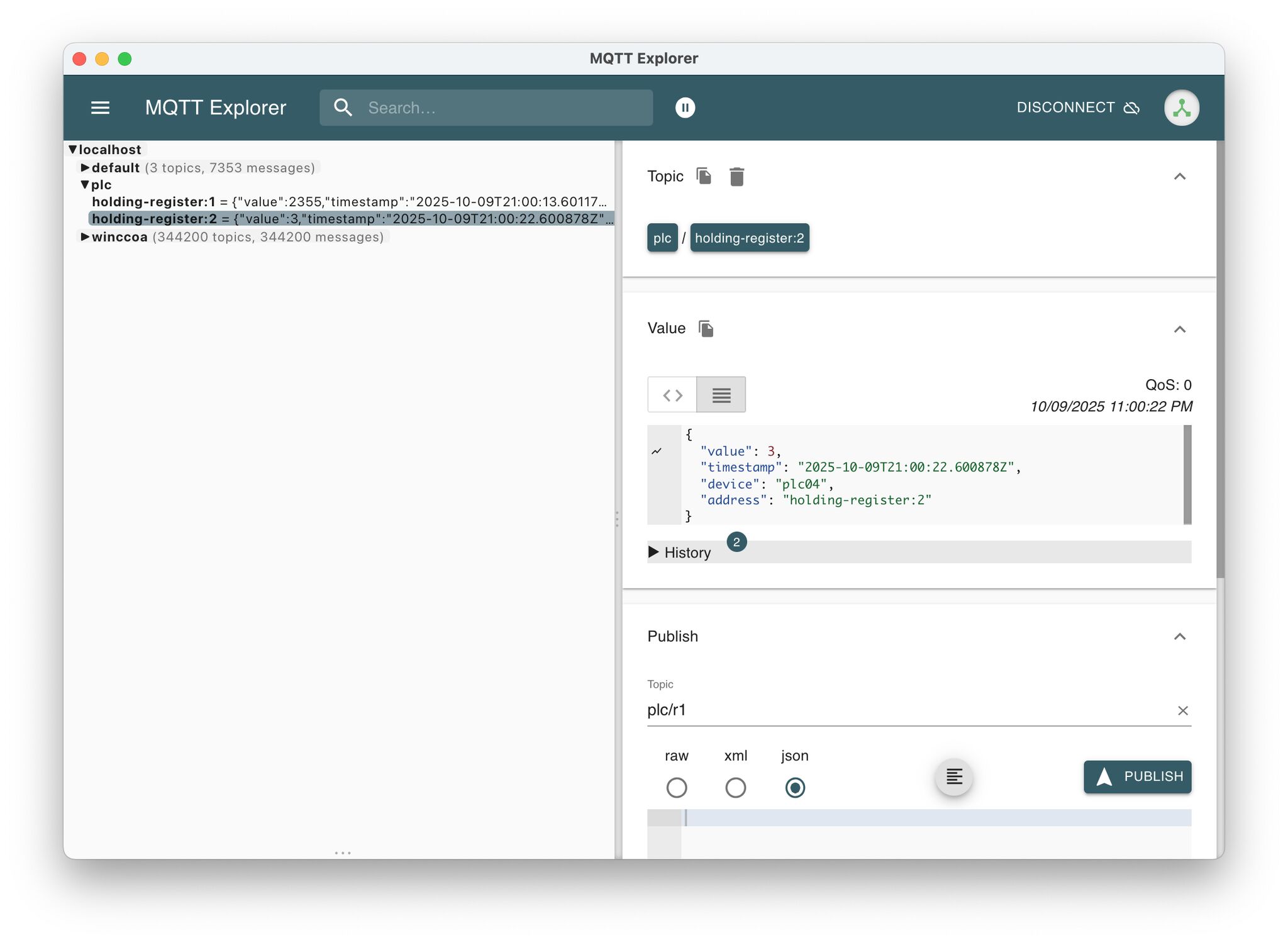
Every day (or night) a new feature – I’ve now added PLC4X
MonsterMQ becomes also a gateway, collecting data from the field to MQTT and can forwarding it to higher layers.
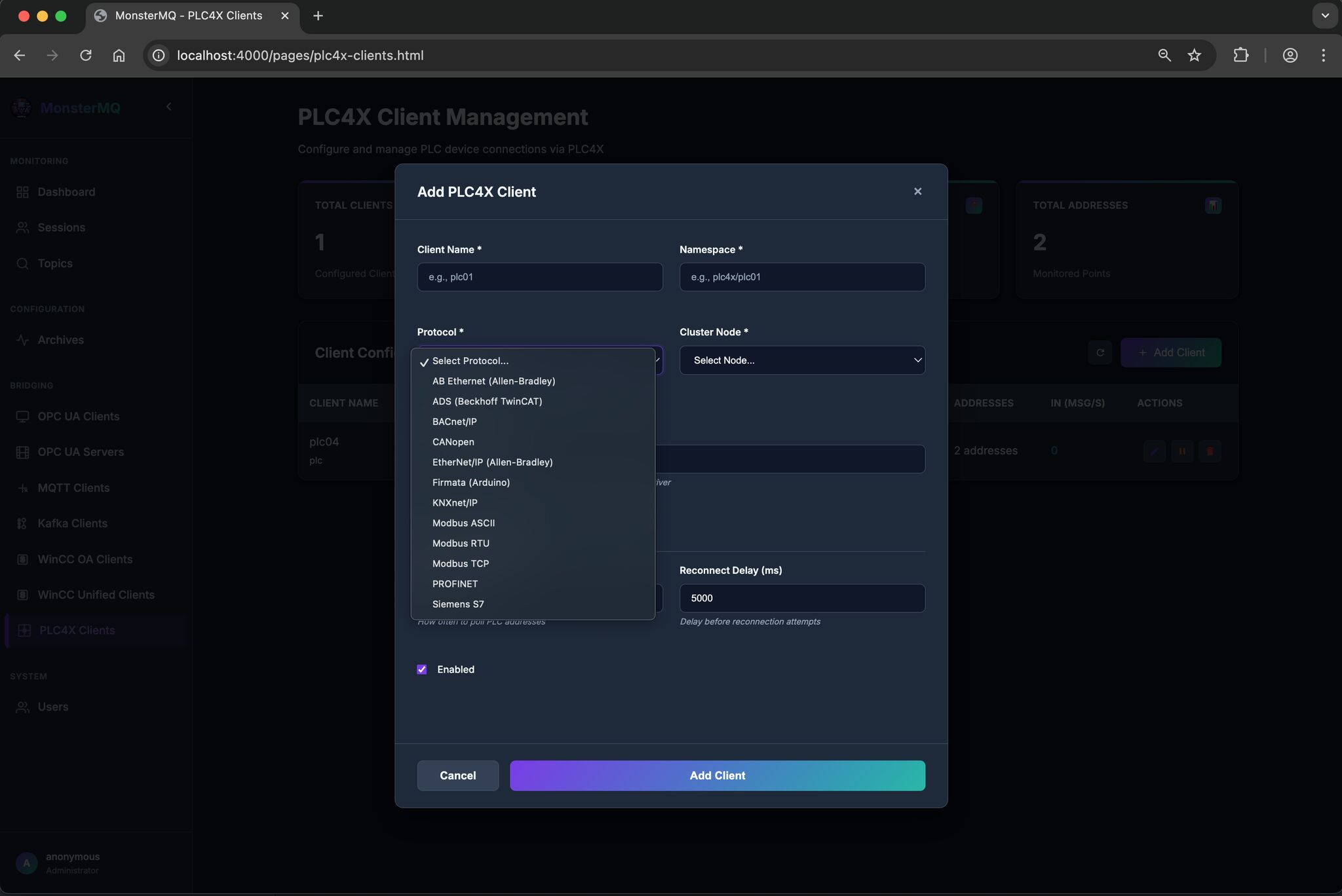
I’ve only tested it with Modbus so far, would be great if others could try it with more PLCs and protocols. See the picture for the list of supported ones.
If you like it, star it on GitHub: MonsterMQ.com
🐉 MonsterMQ – Connecting SCADA to MQTT – Open-Source!
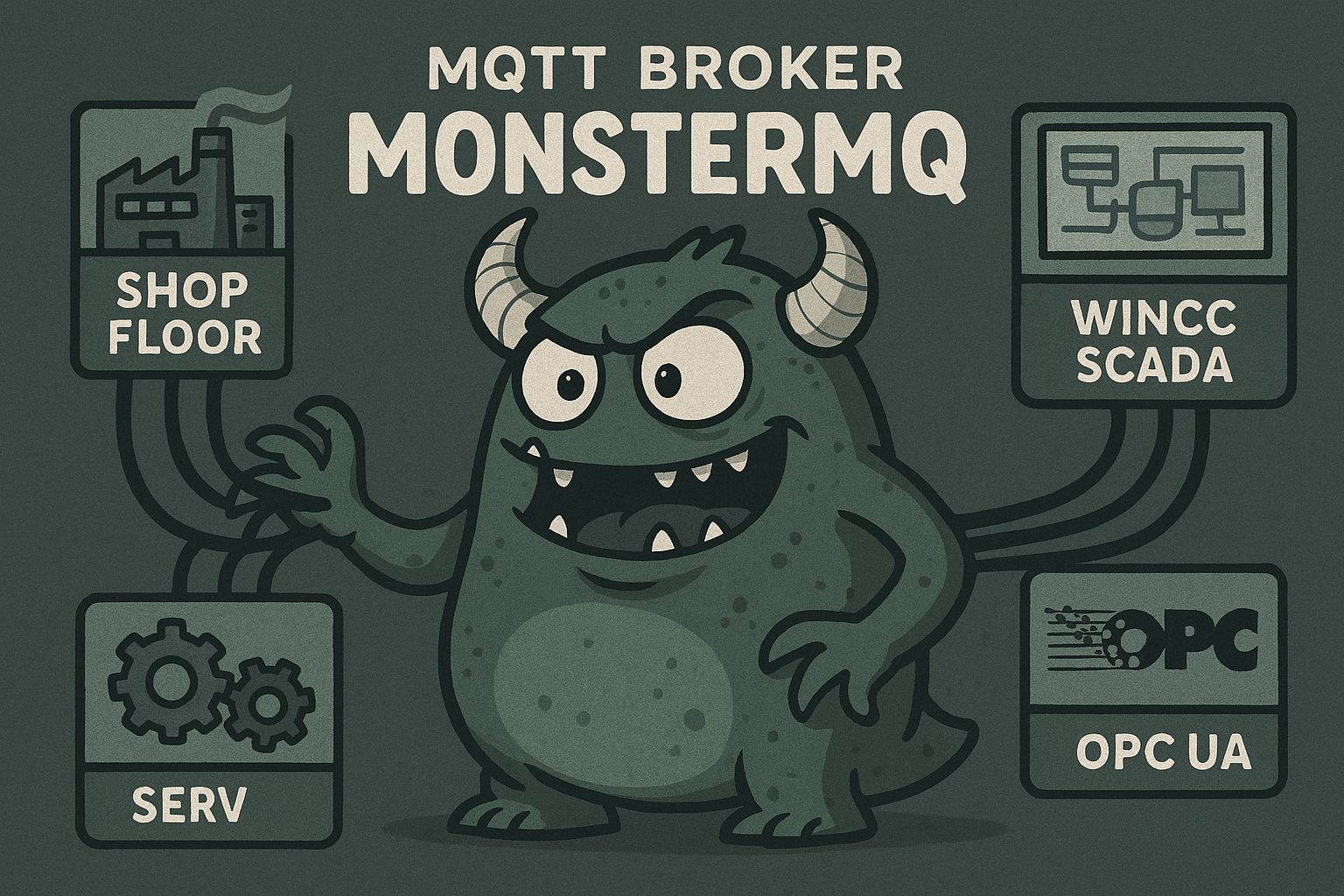
In the newest version, MonsterMQ can now receive tags, events, and alerts directly from WinCC Open Architecture and WinCC Unified.
The broker connects to your SCADA systems and brings the data into MonsterMQ. From there, you can use it however you want, for analytics, dashboards, or integration with other systems.
It can also bring OPC UA data natively into the broker, making it a bridge between the OT and IT worlds.
And if you already have an enterprise MQTT broker, MonsterMQ can act as a gateway, forwarding the data to another broker.
Please star MonsterMQ on GitHub and let me know if some tutorials and videos would be helpful. https://lnkd.in/dqPKFCNQ
🔗 MonsterMQ.com
🚀 MonsterMQ & SIEMENS SCADA… just a teaser…
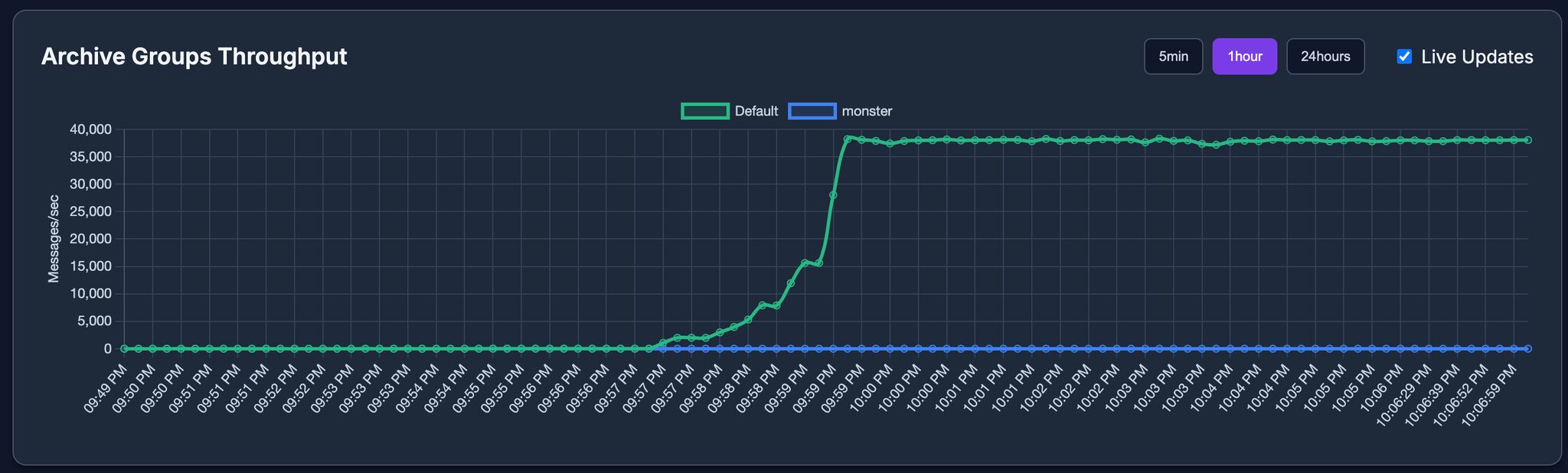
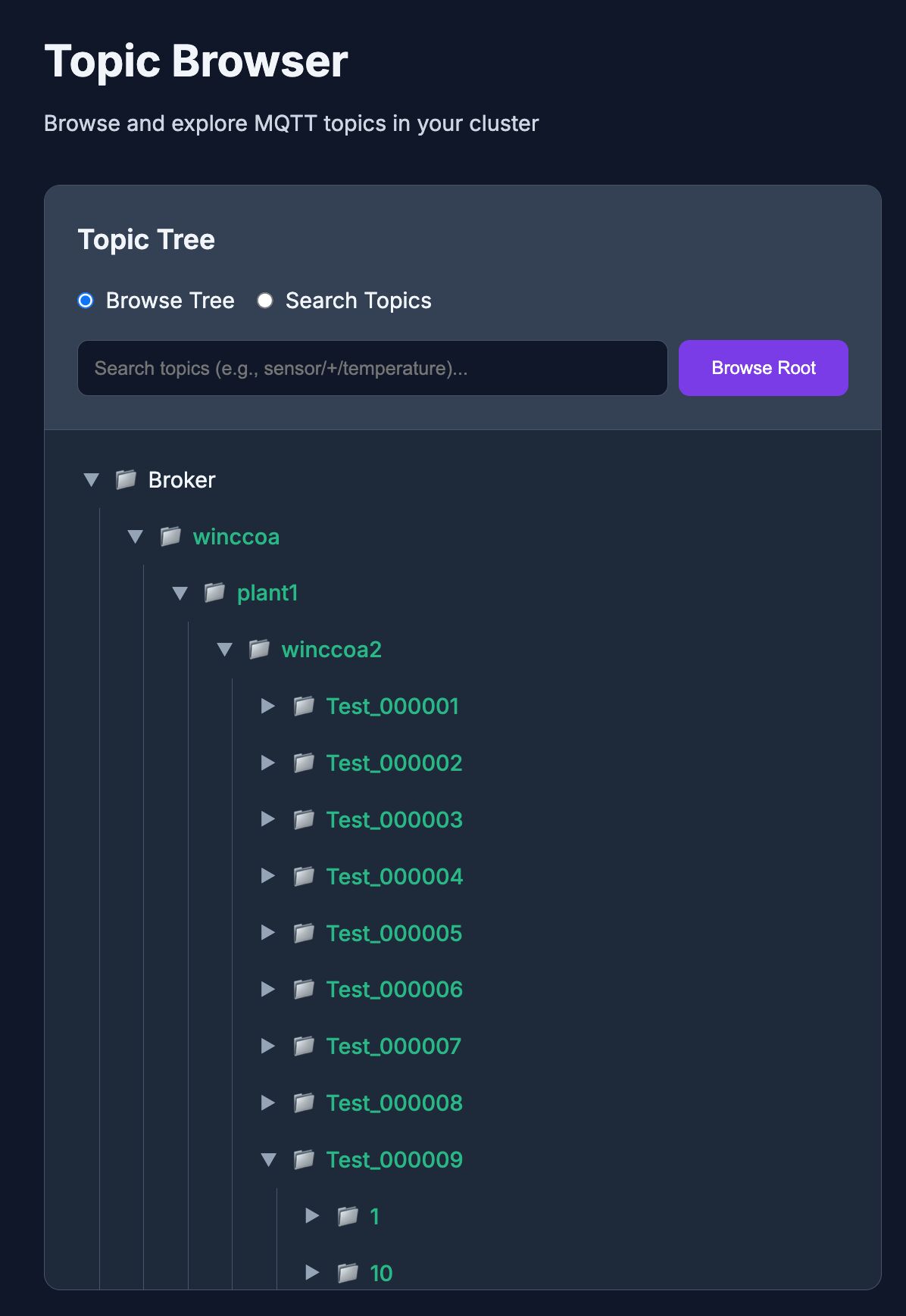
Currently testing a new connectivity for MonsterMQ.com – bringing WinCC Open Architecture tags into the broker via the WinCC OA GraphQL Server!
It was great to see that with 5,000,000 tags (datapoint elements in OA) and a 40 kHz simulation (40,000 value changes per second!), a single WinCC OA GraphQL Server can easily handle that load via GraphQL Subscriptions — even on commodity hardware! 💪
🤨 Why not publish the tags from WinCC OA with its MQTT capabilities? Because the MQTT protocol doesn’t support bulk messages, it’s not efficient for transferring a large number of topic value changes.
💡And I am using WinCC OA’s great continuous SQL queries, which makes it possible to subscribe to 5 Millions tags with just a single SQL query.
MonsterMQ.com will soon get a bridge to WinCC OA 🥳 Stay tuned. And WinCC Unified will be next 😀
Weekend is over 👉 New version of MonsterMQ 🧌
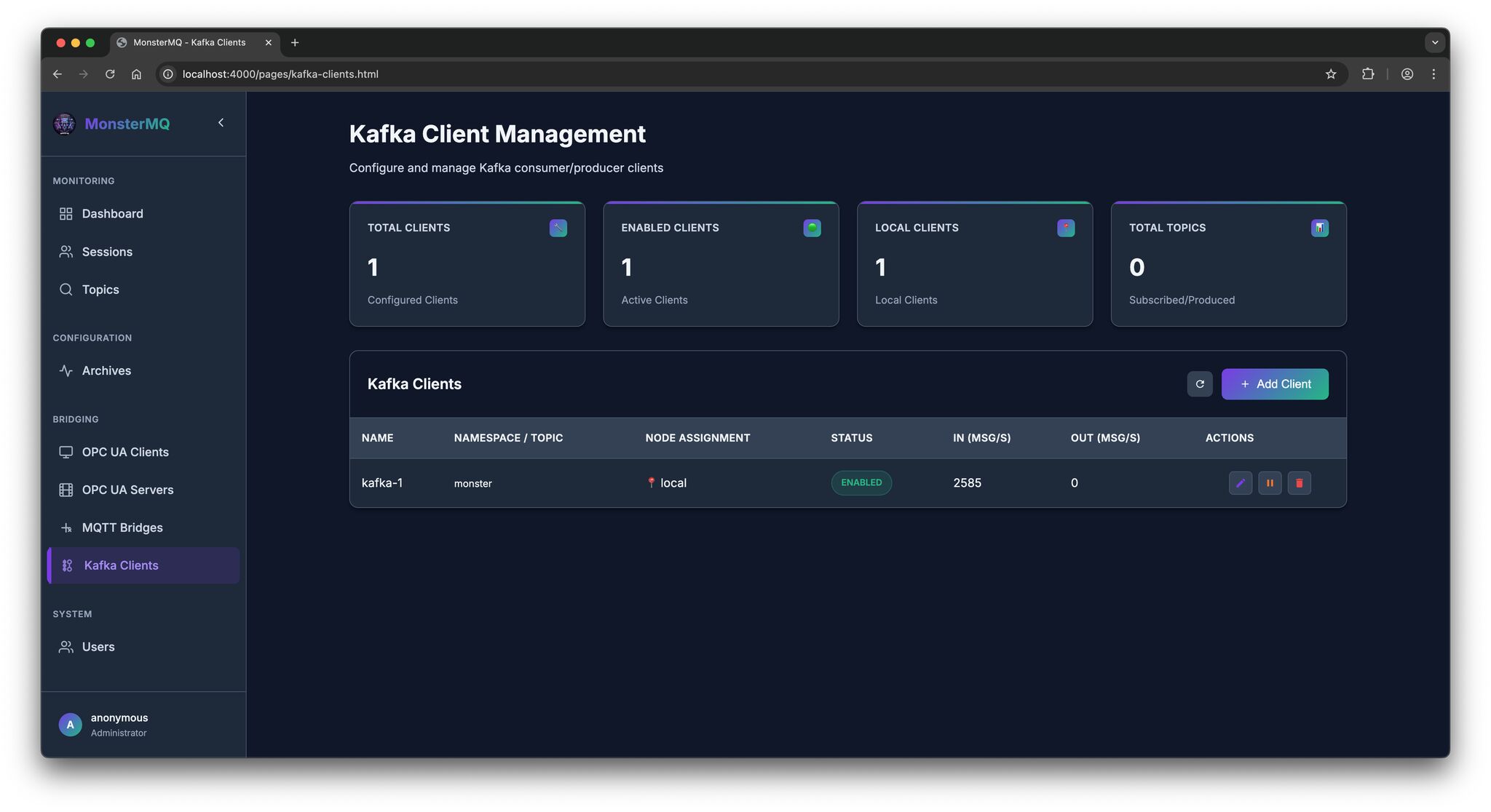
🚨 Breaking News: We’ve added Kafka Client functionality!
It acts as a consumer, enabling data replication from one MQTT Broker instance to another, together with the Kafka Archiving – using a fast, reliable, and bandwidth-optimized Kafka protocol and broker.
👉 Sending data from local MQTT brokers to the cloud is much more efficient by using Kafka.
And this release brings also some more improvements! We’ve reworked metric handling:
👉 Metrics are now shown as values per second
👉 Added metrics for OPC UA Client, OPC UA Server, and MQTT Bridges, Archiving (to databases).
MonsterMQ.com


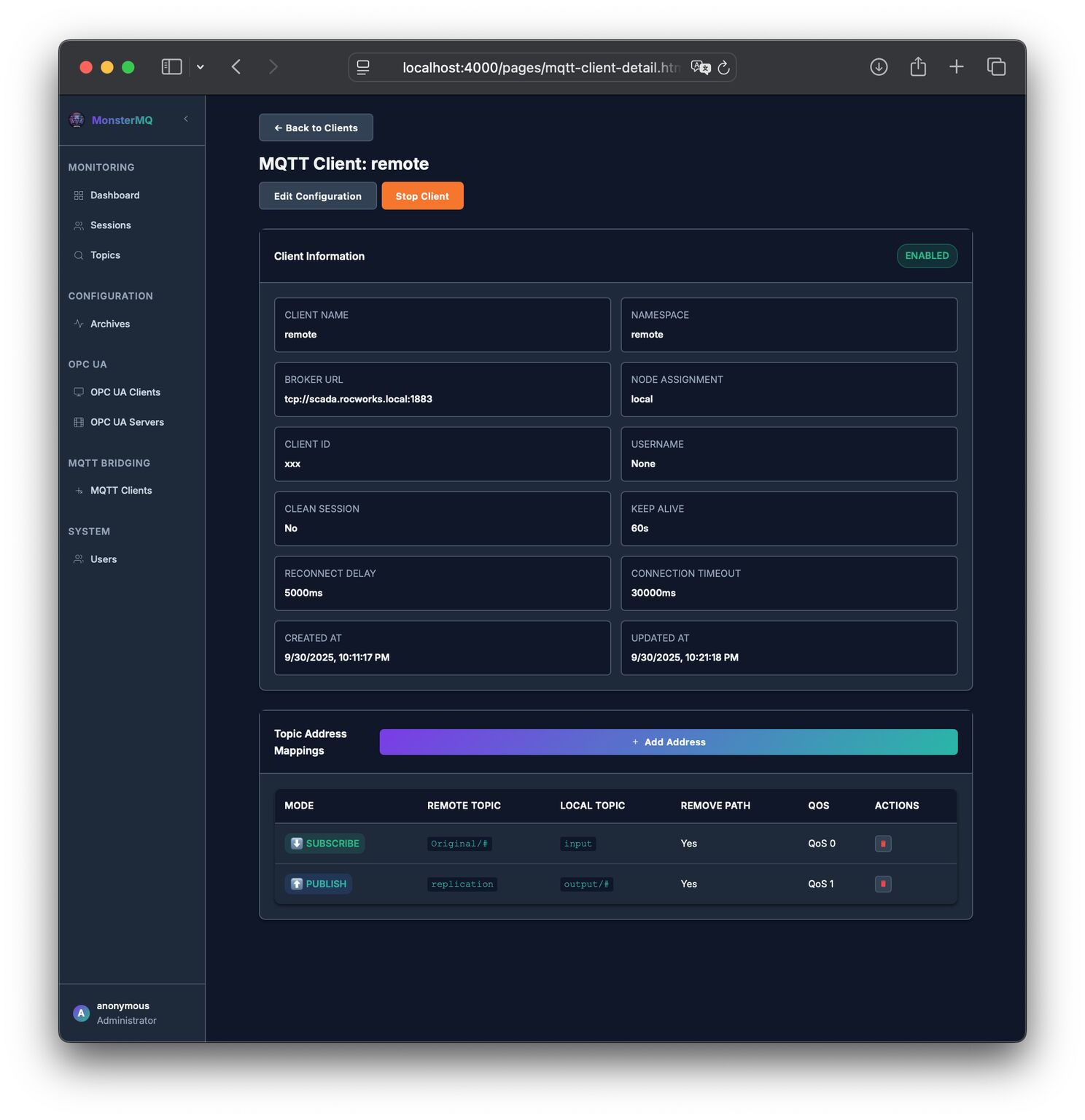
🚀 Again a MonsterMQ Update: MQTT-to-MQTT Replication
You can:
👉 Connect to other brokers and publish local topics to the remote one
👉 Subscribe to remote topics and bring them into your local broker
💡 Both directions work with wildcards
This makes it easier to link brokers across sites, clouds, or edge setups.
And after this update… we’ll take a short break 😉 even though I already have more ideas for features…
Please give a ⭐️ on GitHub if you like the project!
Open-Source 🔗 MonsterMQ.com

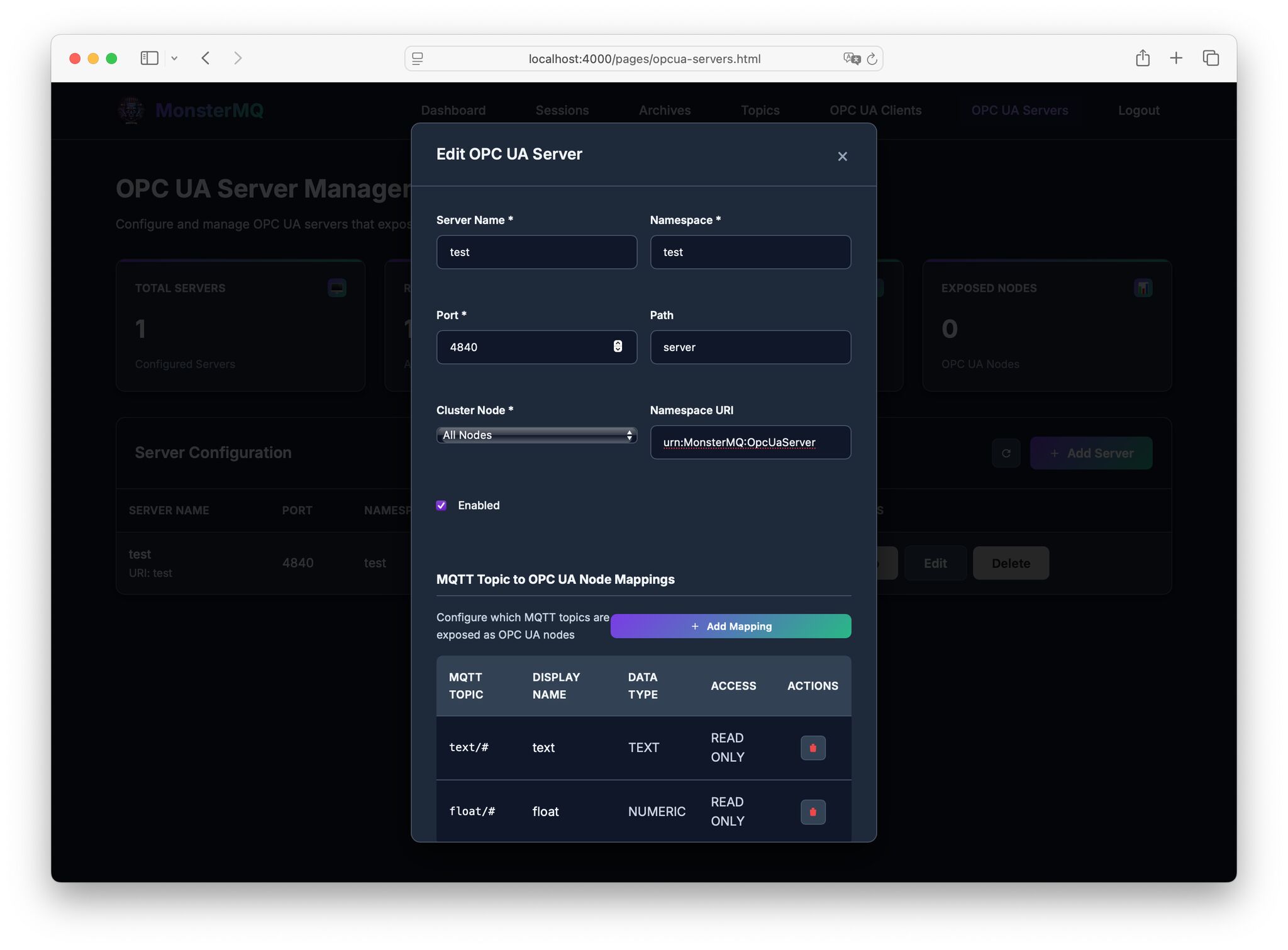
🧌 MonsterMQ now comes with an OPC UA Server!
You can configure MQTT topics (with wildcards) to be available via OPC UA.
This means:
👉 Ingest data into the broker via MQTT.
👉 Expose MQTT data as an OPC UA Server.
👉 And there’s also an integrated OPC UA Client to bring values from OPC UA Servers into the broker.
A IT/OT integration layer, bridging OPC UA and MQTT in both directions.
🔗 https://monstermq.com


MonsterMQ 🧌 Clustering for Industrial IoT
Did you know that MonsterMQ includes clustering capabilities?
👀 Multiple broker instances can form a cluster, building a distributed system.
See this LinkedIn post for a video.
Here’s an high-level example:
👉 Each production line can run its own broker instance, keeping high data loads local.
👉 A site-level broker aggregates higher-level metrics like OEE or production summaries.
💪 With MonsterMQ, production line brokers remain independent – if one goes down, the others are unaffected. Yet, cross-line data access is seamless. For example, one line can subscribe to another’s current production order or OEE. Only relevant data is transmitted between brokers, reducing overhead.
💪 Clustering is powered by Hazelcast, with communication handled by Vert.X.
⚠️ Since MonsterMQ relies on a central #PostgreSQL database, this creates a central point of failure. To mitigate this, the PostgreSQL database must be made high available. Alternatively, you can use a clustered #CrateDB, which allows you to deploy one database node on each MonsterMQ node for improved resilience. Currently subscriptions are stored in memory on all nodes, which restricts scalability, but for factory use-cases it should not matter.
🧠 Added a MCP (Model Context Protocol) Server to MonsterMQ.com
🚀 Now you can chat with your MQTT data. 💥 Still early stages though – lots of room for improvement and more tools to add to the MCP server.
🏷️ Add Metadata to topics: you can publish a retained subtopic containing metadata to your existing topics. This helps the LLM query that description and better understand the data. It is optional, but recommended.
Example topic: PV/Power/WattAct/<config>, it must contain a JSON object with this fields: { “Unit”: “W”, “Description”: “Current active power output of the photovoltaic system” }
🧠 Memory Included. MonsterMQ can store the last values in memory or in a PostgreSQL table. You can also historize your data in Postgres, so the LLM has access to historical data as well.
🤖 Wanna Try It? Publish your data to test.monstermq.com. Add a <config> retained topic to your topics, and then you can use the MCP Server test.monstermq.com/mcp, for example in Claude-Desktop.
See what Claud did by asking “please find some power meters of differnt rooms and plot the last 5 minutes of the rooms power consumption.”
Retained messages are the devil of MQTT 😈 😱
MQTT brokers handle retained messages differently – and that can have serious implications…
🔸 HiveMQ Community Edition doesn’t support to persist retained messages to disk. After a restart, they’re gone – so it’s better to go with the Enterprise Edition. Unfortunately I do not have access to the Enterprise version to perform further tests.
🔸 Mosquitto writes retained messages to disk periodically(!), default is 30 minutes! And during writing from memory to disk, publishing values pauses, it seems the broker gets frozen during writing to disk. Writing 1M retained messages to disk takes time… plus, I got it to crash at about 4460000 retained values (reproducible), and after the crash, it didn’t start anymore – until I removed the database file and lost all retained messages.
🔸 EMQX handled the test with a max of 2000 value changes per second. It was already using about 250% CPU of four cores, and I occasionally received “Mnesia is overloaded” warnings. I don’t know whether messages are being queued or dropped at that point. Writing to disk didn’t seem fast. Additionally, a broker startup after storing 1 million retained messages took a while (about 30 seconds), likely because all values are being loaded into memory.
🔸 BifroMQ handled the test at around 8000 v/s, using only about 20% of four CPU cores. I noticed that throughput decreases as the number of published topics increases. Interestingly, it limits wildcard subscriptions to just 10 retained messages – to protect the system, but that number feels a bit low. I couldn’t find a configuration setting to change it.
🔸 MonsterMQ handled the test with about 7000 v/s with 18% for the Monster plus 70% for the PostgreSQL database of four CPU cores. MonsterMQ stores retained messages in a PostgreSQL table (written in bulk). If you have a high volume of retained messages, it can lead to full queues – especially if your PostgreSQL instance can’t keep up. In that case, the broker will not persist all values.
🧨 Be careful when using retained messages!
👉 Understand and test your broker’s behavior before relying on them for data durability.
Just to note: These results are based on my own tests and specific use cases, and were performed on modest hardware. I was publishing retained messages to hierarchically structured topics (e.g., root/0/0/0/0/0/0/0/0/0/0), using numbers from 0 to 9, without any subscribers.